November 9th, 2024
New
Improved
Feature
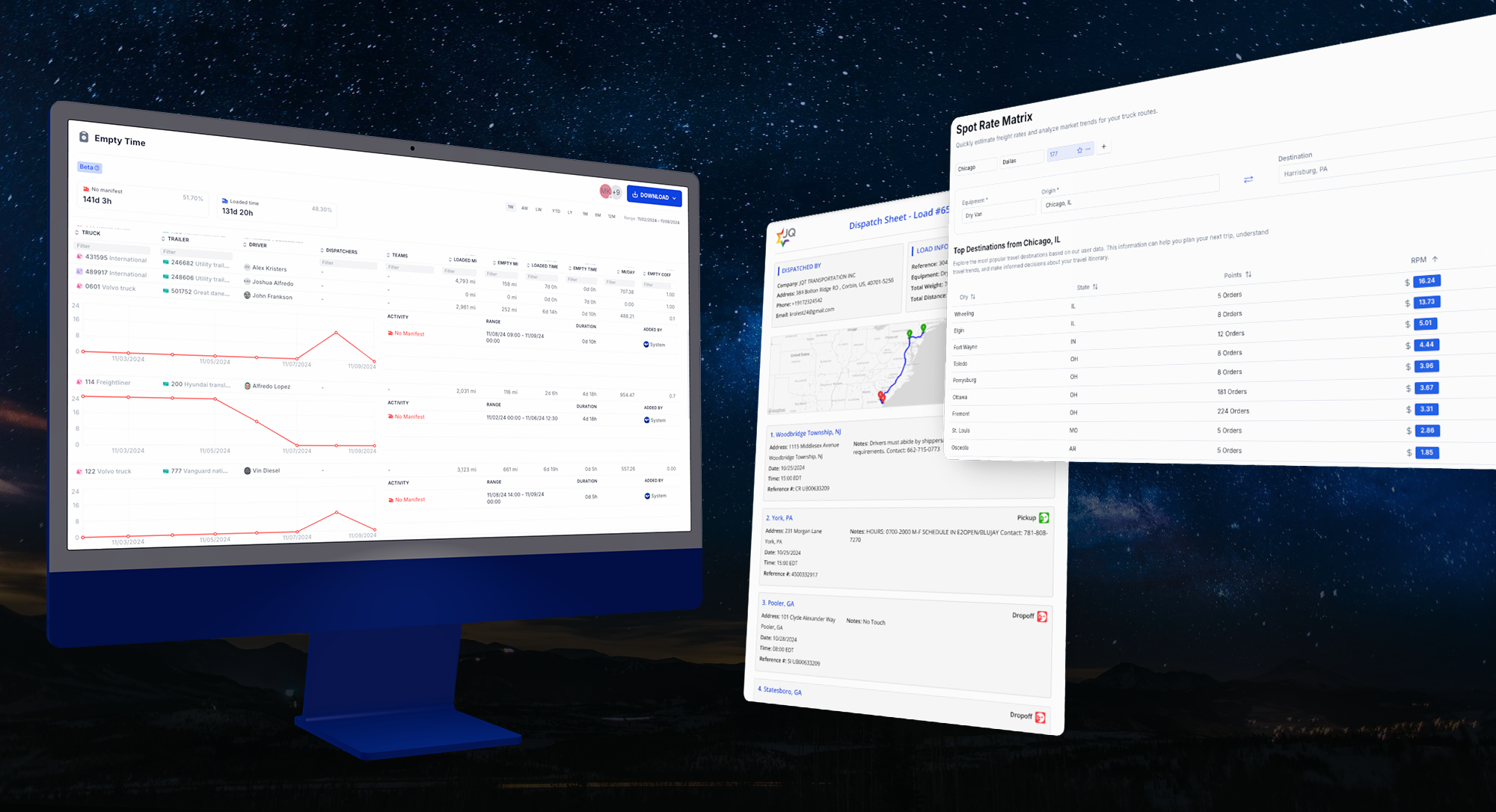
Empty Time Report, Dispatch Sheet, Top Destinations in Spot Matrix, Appointment Types & More
Experience unparalleled control over your carrier operations with our latest update, designed to enhance efficiency and maximize fleet utilization. This release empowers trucking companies with advanced tools for optimizing performance, ensuring Vektor seamlessly integrates into your operations for unmatched precision and productivity.
Empty Time Report | Unrealized Track Capacity (BETA)
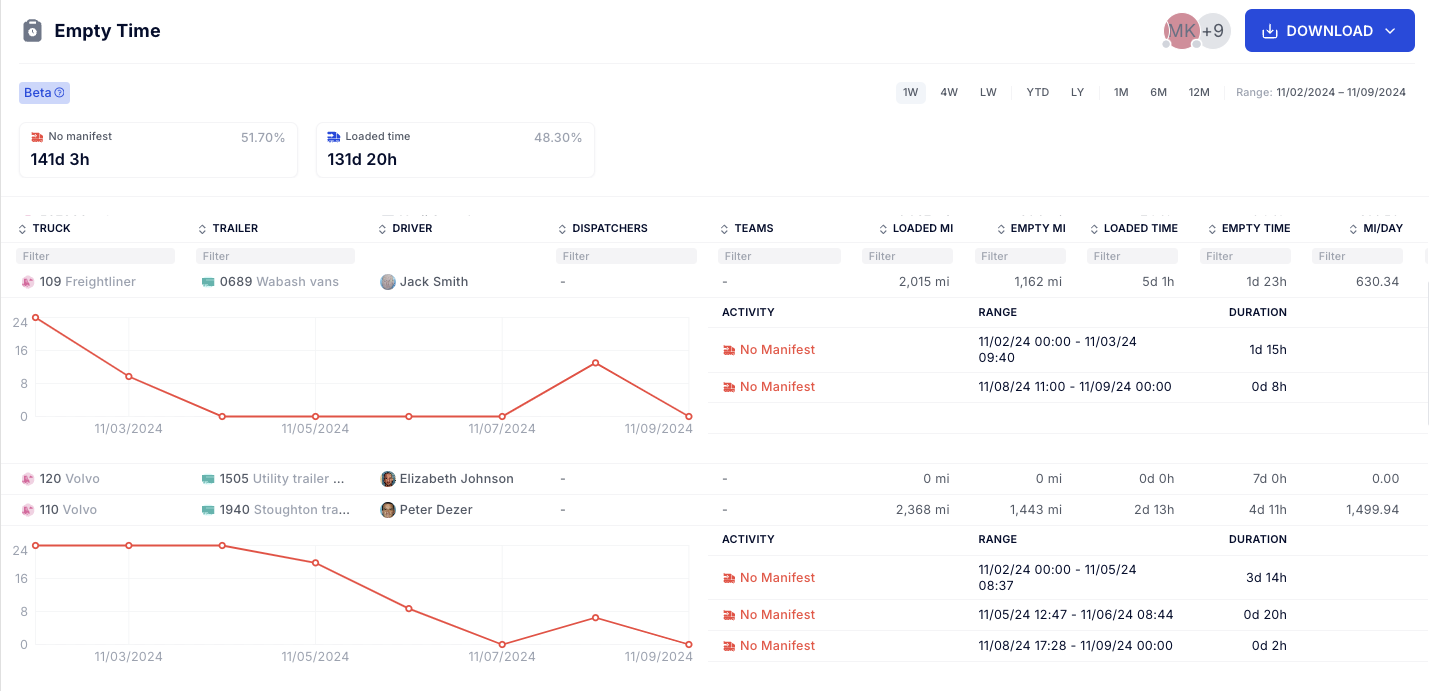
Introducing a groundbreaking reporting module that provides controllers and managers with a comprehensive view of fleet utilization. This tool helps identify unutilized capacity by offering detailed statistics on unit performance.
Key features include:
Average Miles Overview: Quickly assess each truck's daily mileage over a selected period to spot low performers.
Empty Coefficient Analysis: Identify trucks that aren't generating revenue by sorting based on their empty coefficient.
Performance Insights: Instantly evaluate dispatcher and team performance.
Detailed Unit Analysis: Examine individual unit performance over time to understand daily utilization gaps.
Dispatch Sheet | Share Manifest Printout
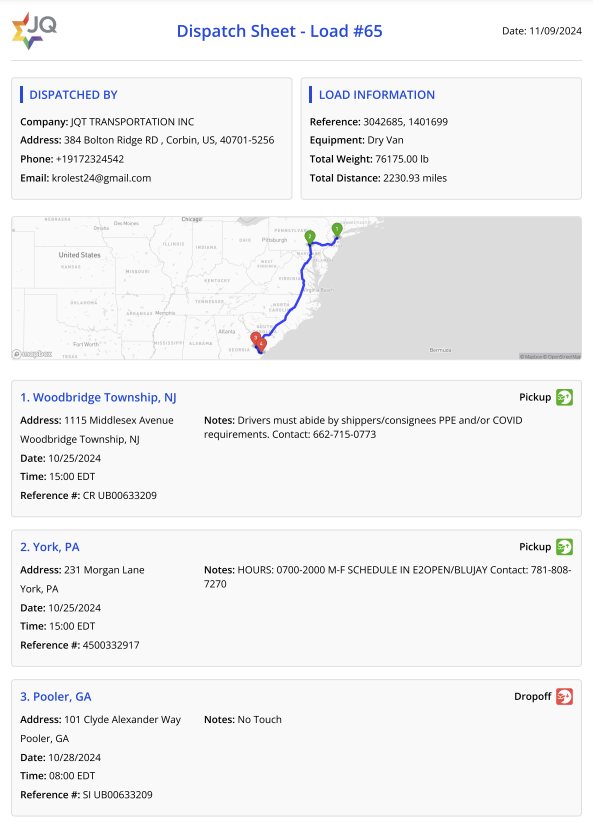
Need to share a manual printout of a complex manifest with a driver? We've got you covered with our new feature that allows you to generate and share user-friendly dispatch sheets effortlessly.
Spot Matrix | Saved Views & Top Destination Rates
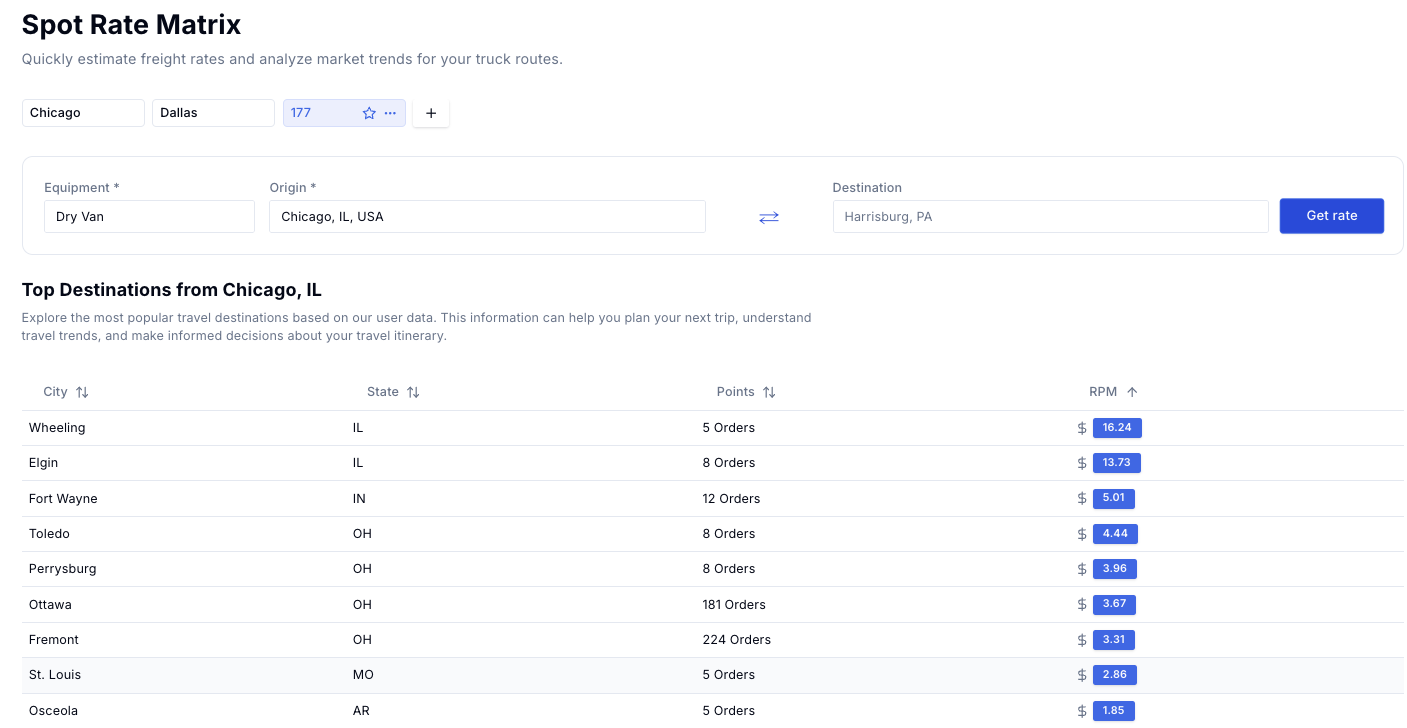
Spot Matrix, the industry's only free rating tool for carriers, now offers enhanced functionality. View top destinations with average rates when selecting only an origin, and organize your searches more efficiently by grouping them with saved filter views for each truck.
Appointment Types | Fixed, Range, Unscheduled
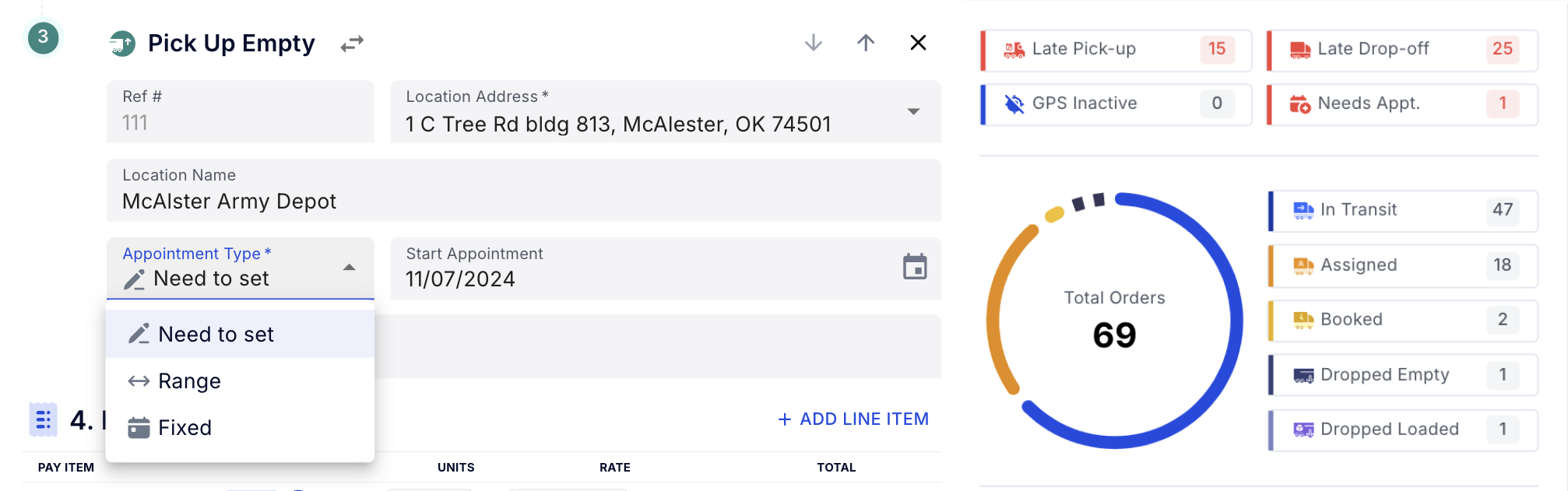
Enhance your scheduling flexibility with our new appointment types. We've introduced a "Need to Set" option, allowing you to add stops without a set appointment time. This feature makes it easier to identify future loads requiring appointments, streamlining the process for your team.
Customer Portal Enhancements
Main Table: A comprehensive table displaying all order details in an organized manner.
New Draft (Document Extraction): Ability to view new drafts of orders with documents being extracted for ease of access.
Filters: Users can apply filters to narrow down the displayed orders, making it easier to find specific information.
Links: Direct links to related documents and resources for each order.
Tabs for Filtering: Quick-access tabs to filter orders based on status or other criteria.
Read-Only Access: Users can view order details but cannot make any changes, ensuring data integrity.
Search Autocomplete: Enhanced search functionality with autocomplete to help users find orders quickly.
Improvements & Bug Fixes ⬇️
Scheduling Page Performance Improvement Under High Load
For carriers managing 100+ trucks, we've enhanced the scheduling page to improve loading speed and streamline the management of complex schedules. Enjoy faster access to manifests and a more efficient scheduling experience.
Invalid Document Driver App Notification
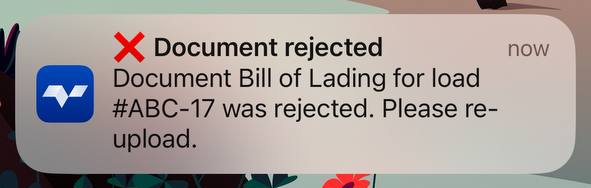
Drivers will now receive automated notifications on their app when compliance-related documents, such as Medical Cards or Bills of Lading, are marked as invalid. The notification guides them through the re-upload process, making it easy to submit the correct paperwork.
Enhanced Upgrade Process for a Better Driver App Experience
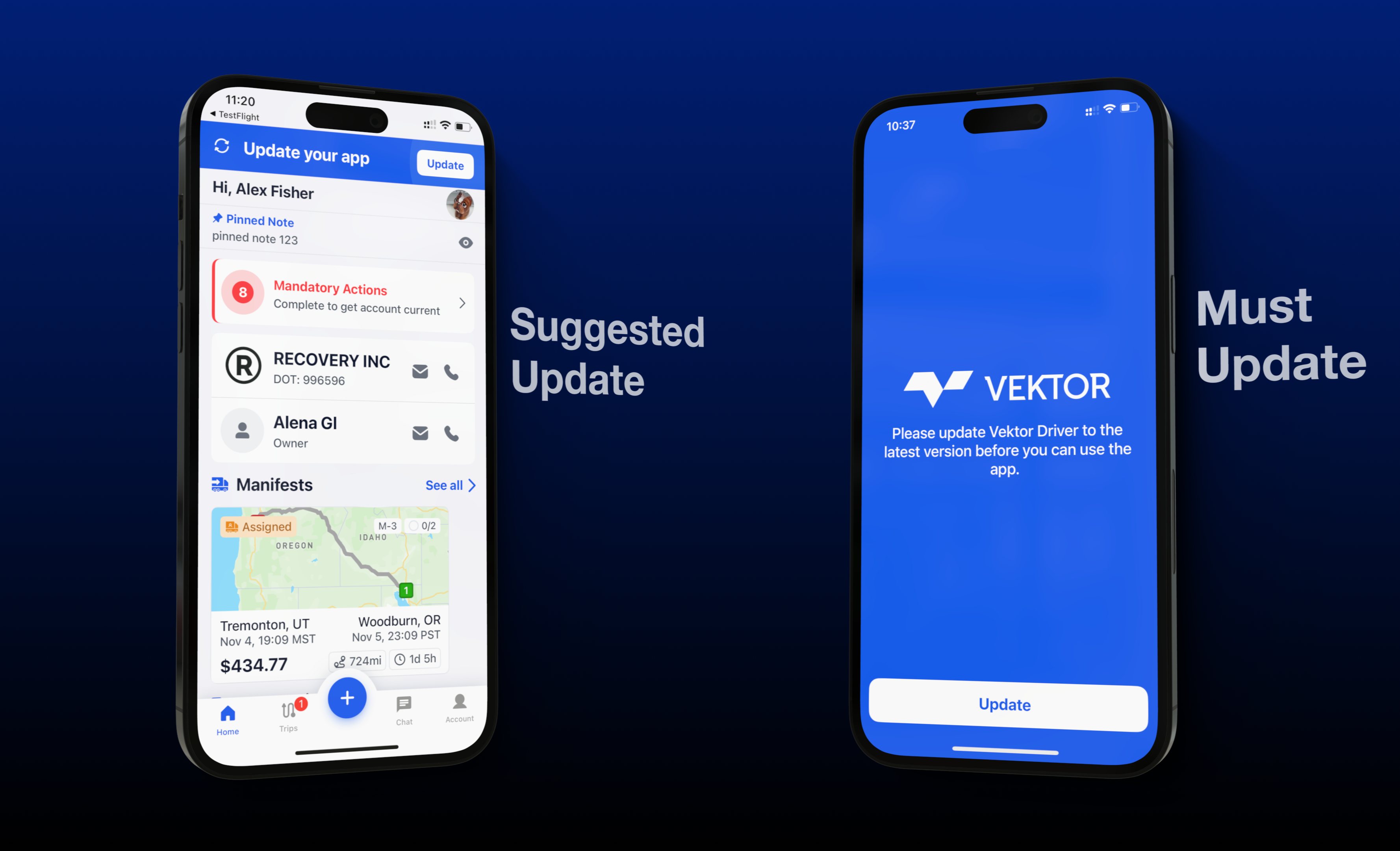
To keep drivers on the latest app version, we’ve rolled out updates that make upgrading effortless while enhancing overall app reliability. Critical updates are prompted as not optional, and optional updates just give smaller alert within the UI, ensuring that Driver version is always aligned with TMS.