January 19th, 2026
New
Improved
Feature
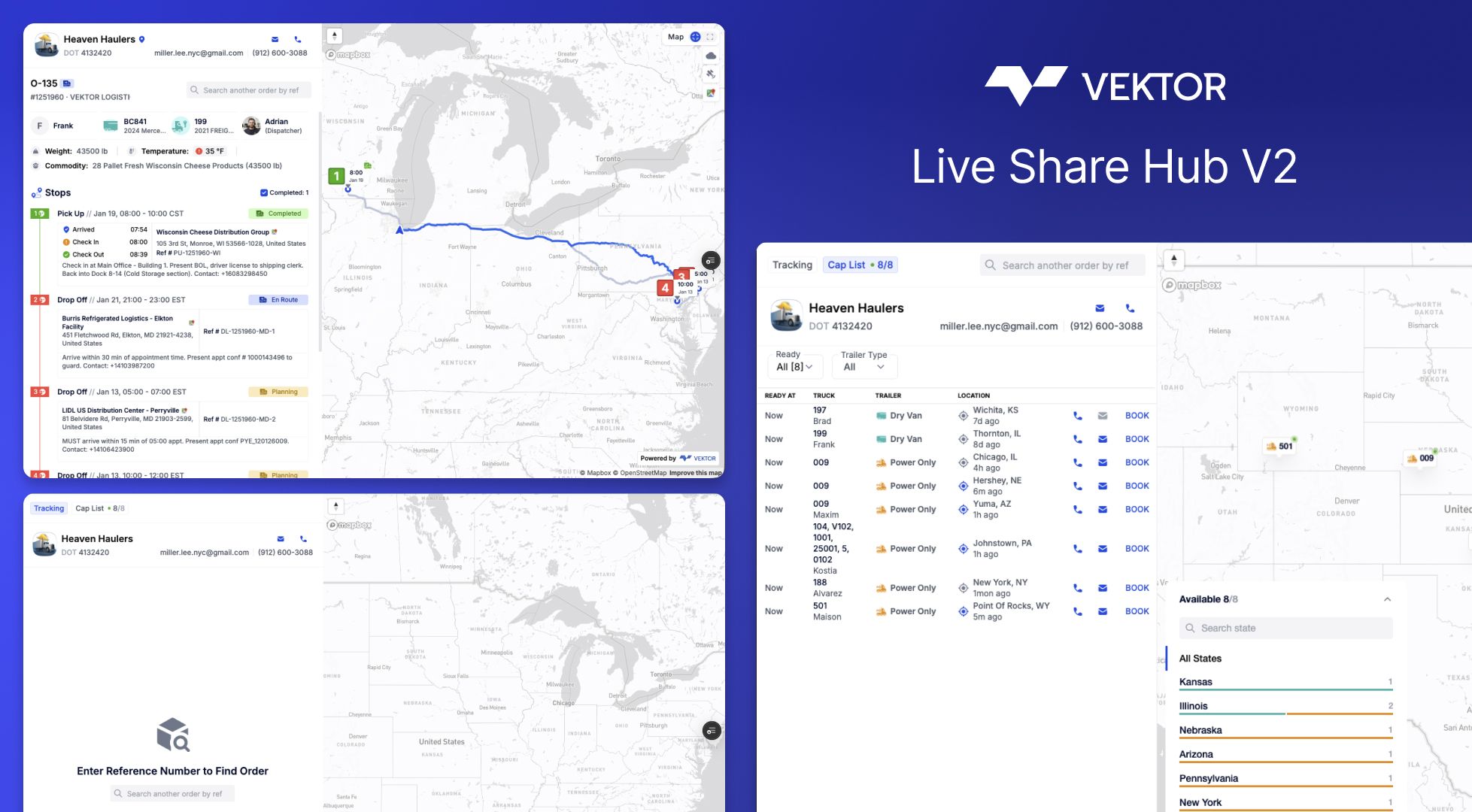
"Where's my load?" — the three words that interrupt your dispatch floor more than anything else.
Live Share V2 kills the check-call cycle. Your customers get instant, self-service tracking. You get your phone back.
The problem we solved
You've been the middleman between customers and shipment status since forever. They call. You check. You call back. Repeat 47 times a day.
Live Share V2 flips the script: share once, let customers track forever—with exactly the visibility you choose to give them.
What's new
🎛️ You Control What They See
Every tracking link is now fully configurable. Decide per-load or per-customer:
ETA Updates — Real-time arrival times that update automatically. Delays? They see it before they call.
Driver Contact — Need them to reach the driver directly? Toggle it on. Prefer they go through dispatch? Keep it off.
Paperwork Access — Choose visible docs: BOL, POD, lumper receipts, scale tickets. Your call.
Multi-Load Search — Let repeat customers search all their shipments from a single link
Real scenario: Your biggest customers wants full visibility with driver contact. A new customer on their first load with you gets milestone-only until they're vetted. Set it once per customer—it applies automatically.
🔐 ZIP Authentication (Smart Security)
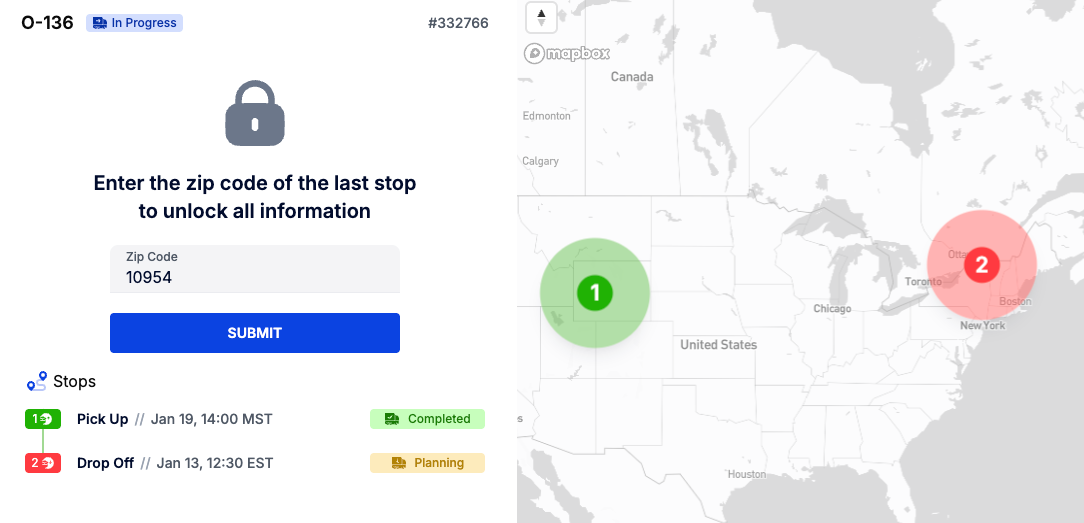
Here's how it works:
Direct share link? Customer opens it, sees everything you've enabled. No friction.
Searching for another load? They enter the delivery ZIP to unlock. Proves they're the right person.
Global tracking link? ZIP required. Keeps your public portal secure.
Security where it matters. Zero friction where it doesn't.
📊 Finally Know If Anyone's Actually Using These Links
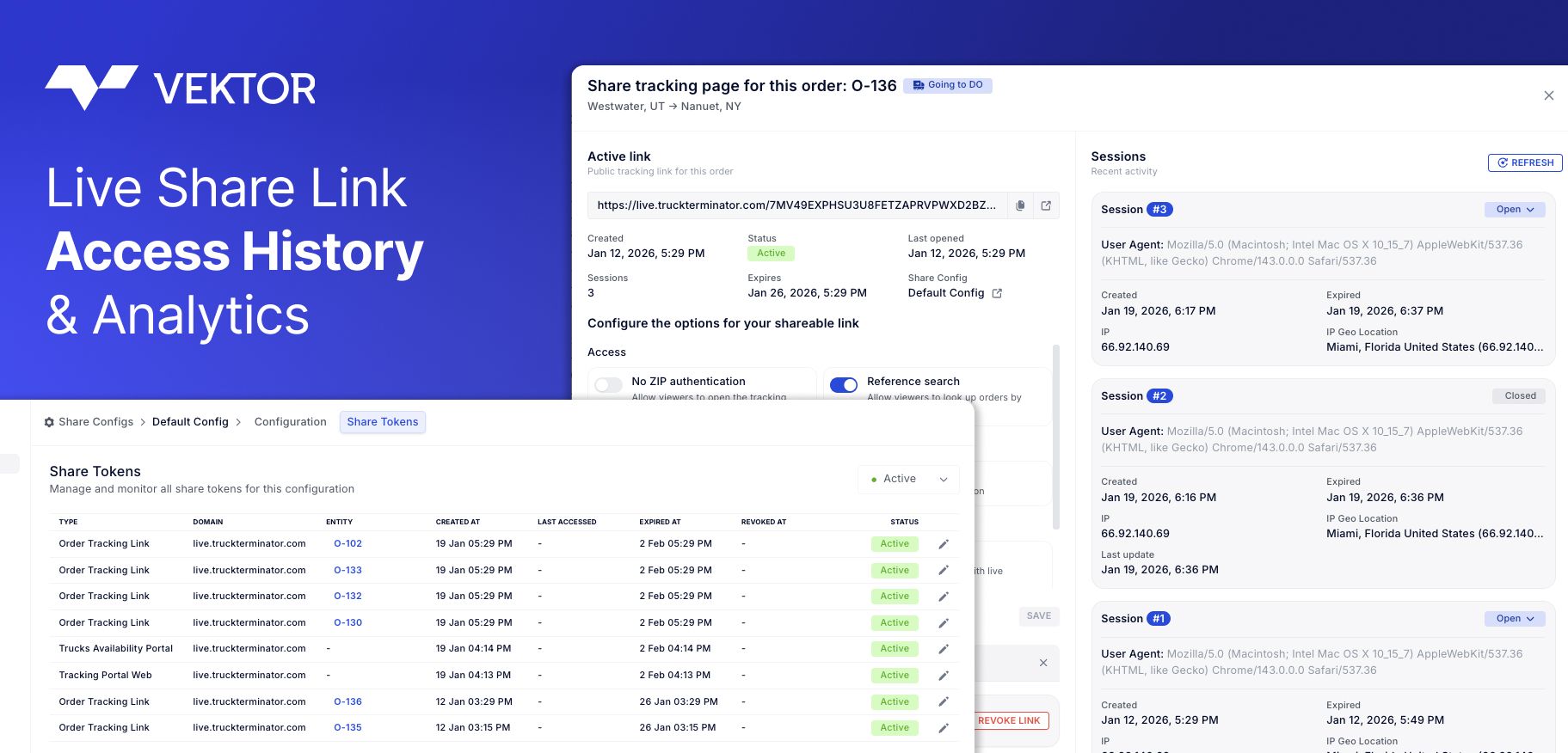
Every share link now tracks:
When it was created
How many times it's been opened
Full access history
Translation: Stop sending tracking links into the void. Know which customers self-serve and which ones still call every 2 hours.
🌍 Global Tracking Portal + Capacity Broadcast
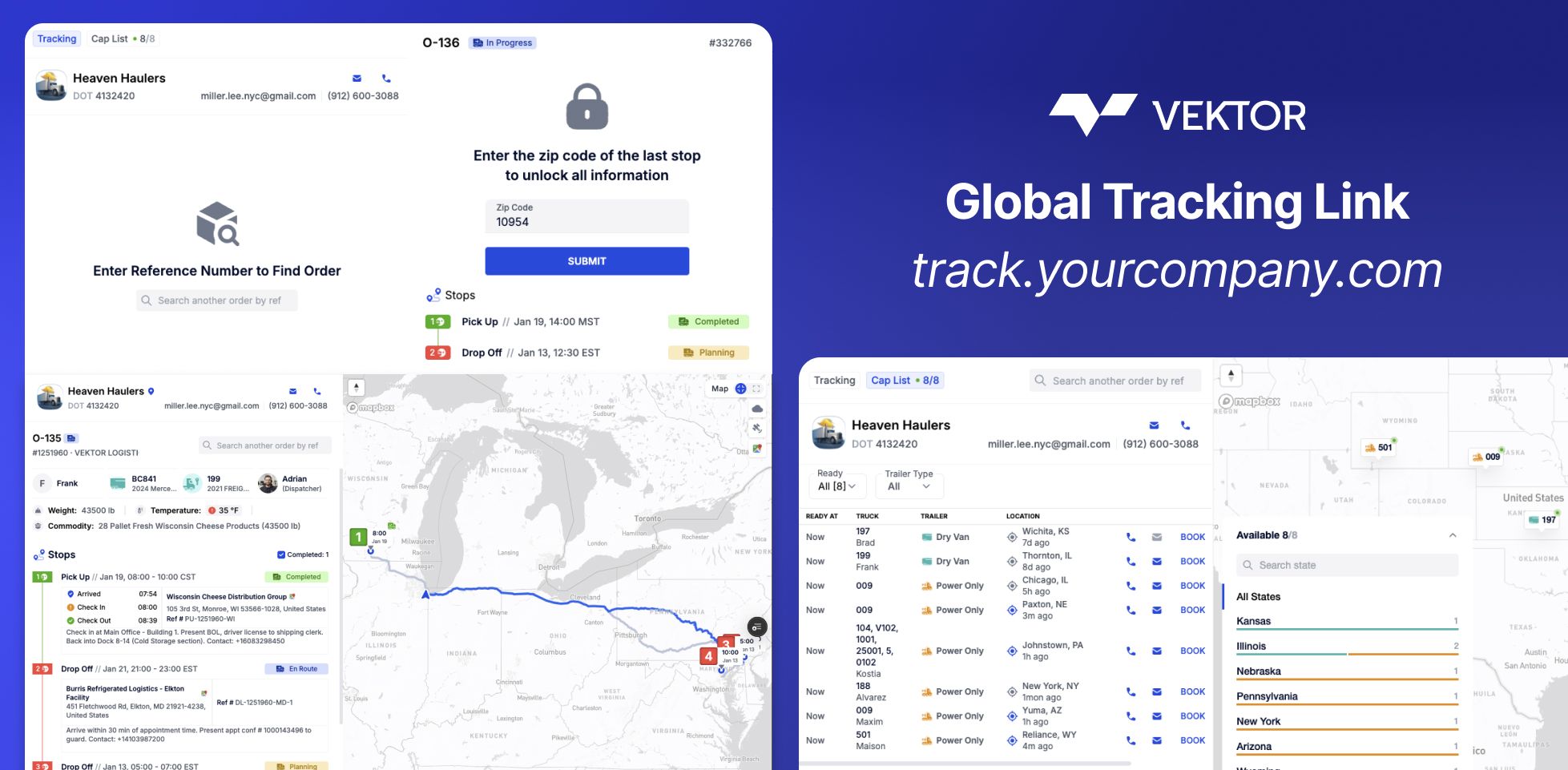
This is the feature that turns tracking into a sales channel.
Share a single link (on your domain: track.yourcompany.com) that lets customers and partners:
Track any load by reference number (with ZIP authentication)
See your available trucks in real-time—location, equipment type, driver
Submit booking requests directly to your team
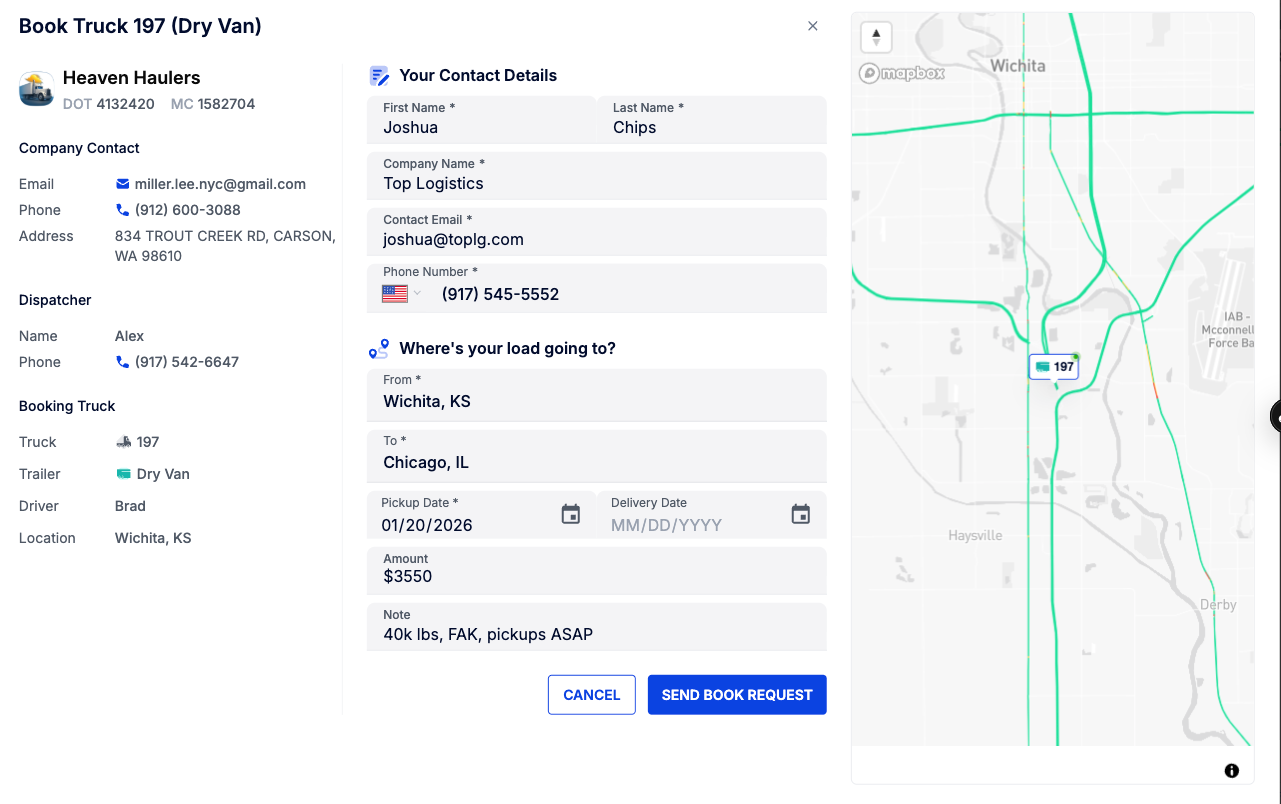
When someone clicks "Book" on an available truck:
If a dispatcher is assigned → request goes to their inbox
No dispatcher? → goes to your company email
They fill out contact info, lane details, dates, and rate. You get the lead. No phone tag required.
Use case: Post your capacity link in your email signature. Customers check your trucks before calling. The good ones book directly. The tire-kickers filter themselves out.
🏢 Customer-Specific Presets
Different customers, different rules. Save configurations per customer:
Set it once. Every load you share with that customer automatically uses their preset.
🌐 Your Domain, Your Brand
Replace vektor.live with your own domain. tracking.yourcompany.com or track.yourfleet.com—whatever fits your brand.
Your customers see your company on every tracking link. Not ours.
How to use it
Share a single load: Order → Share → adjust toggles → copy link
Set customer defaults: Settings → Share Config → select customer → configure → save
Enable your tracking portal: Settings → Share Config → Global Tracking → set your domain → go live
Broadcast capacity: Your global link automatically shows available trucks. Partners can track or book.
The payoff
Also shipped
Live Preview — See exactly what customers see before sending
Access history — View who opened what and when, right in the share modal
Mobile-optimized tracking experience for customers
Faster link generation — performance improvements under the hood
Ready to stop being a human GPS?
Head to Settings → Share Config and set up your first customer preset.
New to Vektor? Start free trial or schedule a demo.
Questions? Email support@vektortms.com or ask your CSM.
December 24th, 2025

WHAT'S NEW:
Deployed heartfelt gratitude to all Vektor customers
Added 365 days of appreciation for your partnership
Shipped warmest wishes for the holiday season
BUG FIXES:
Resolved any doubt about how much we value you
Patched in extra thanks for your trust and loyalty
COMING IN 2026:
More features, faster loads, better logistics
Continued partnership with the best customers in freight
Thank you for being part of the Vektor family. Merry Christmas & Happy New Year! 🚛✨
— The Vektor Team
December 15th, 2025
Improved
Feature
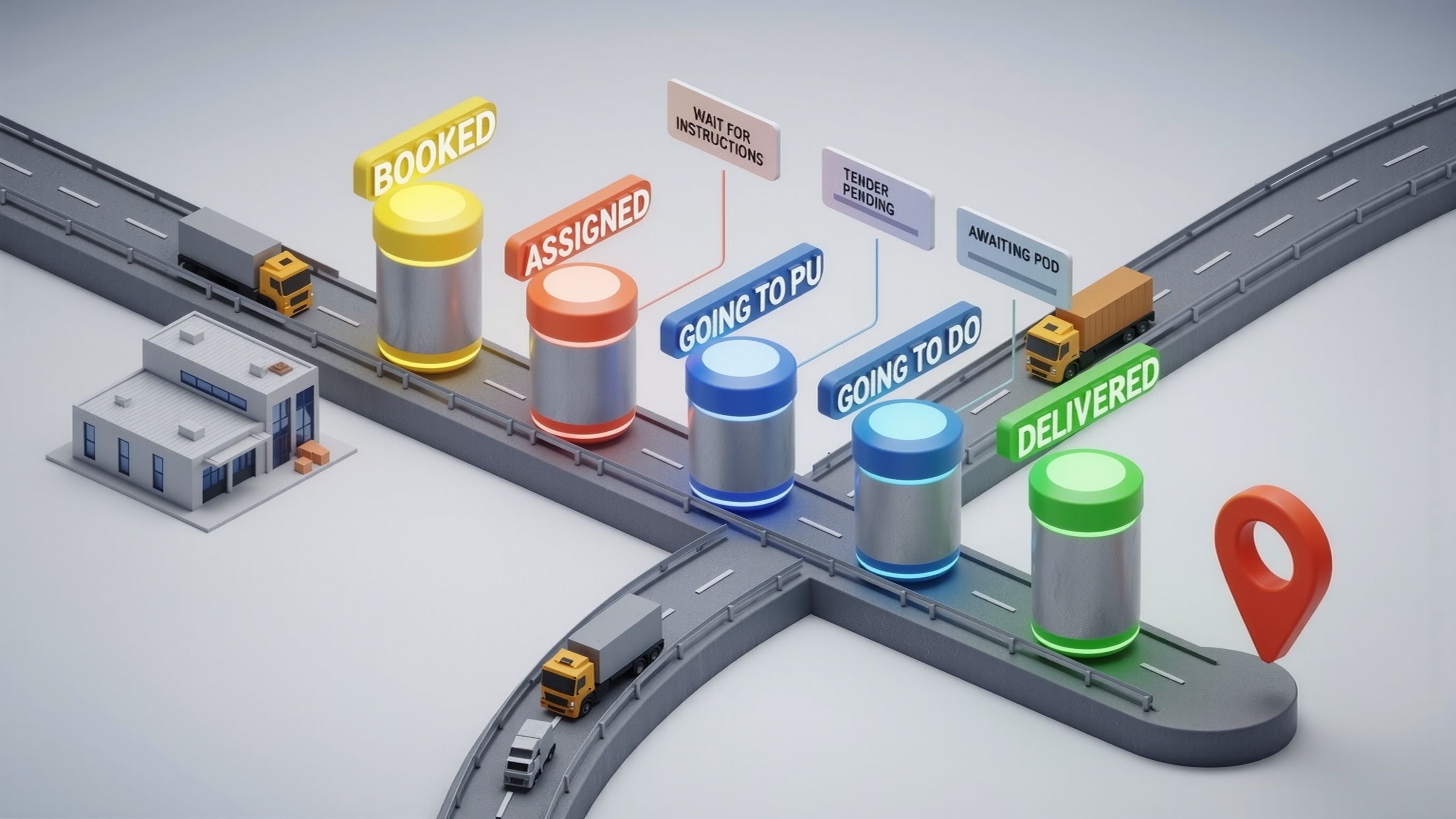
Every operation runs a little differently.
Now, you can make Vektor match your team’s language — with fully configurable statuses for Orders and Manifests.
Create, rename, and reorder the lifecycle steps that matter to you. Whether it’s Waiting for Instructions, Ready to Broker, or Ready at Yard, your workflow now flows exactly the way you work.
What’s new
A new Custom Status Configuration panel under
Settings → Status Config → Custom Statuses.
You can now:
Add, rename, or reorder statuses for Orders and Manifests
Map your custom labels to system statuses (Booked, Assigned, In Transit, etc.)
Maintain all automations — just with your own language on top
Filter, search, and report by your custom statuses across the entire platform
Impact
Your board, analytics, and Driver App now reflect how your operation actually moves.
No more guessing between “Booked” and “Dispatched” — see clear, meaningful stages like:
Waiting for Instructions — booked but not ready to dispatch
Ready to Broker — pricing approved and waiting on tender
Tender Pending — offer sent, awaiting carrier confirmation
Going to PU / Going to DO — granular in-transit visibility
Awaiting POD — post-delivery tracking before close-out
Not in Yard / Ready at Yard — for carriers running yards or drop trailers
Every custom status flows through the full system — database views, filters, analytics, and automations — without breaking any logic or integrations.
How to use
Go to Settings → Status Config → Custom Statuses,
click “+ Add”, give it a name, color, and map it to a system status.
Reorder as needed — and your team’s flow is live instantly.
Also shipped
Statuses support multi-language text
System-level mapping keeps automations and analytics intact
Visible on database, boards, and mobile Driver App
Filter and export by your new statuses instantly
November 21st, 2025
New
Improved
Feature
Integration

Every operation is different. This release focuses on flexibility—giving you tools to handle edge cases, automate repetitive tasks, and maintain control as you scale. From batch QuickBooks operations to custom field filtering and manual settlement creation, Vektor now adapts to how you work, not the other way around.
Financial Management
QuickBooks Batch Creation
Push multiple invoices and bills to QuickBooks in one action. Auto-create or link customers at scale directly from the batch creation screen—no more one-by-one entry.
QuickBooks Payment Sync
When payments are recorded in QuickBooks, Vektor automatically updates invoice status to paid or partially paid. Reconciliation just got simpler.

Credit Limit Controls
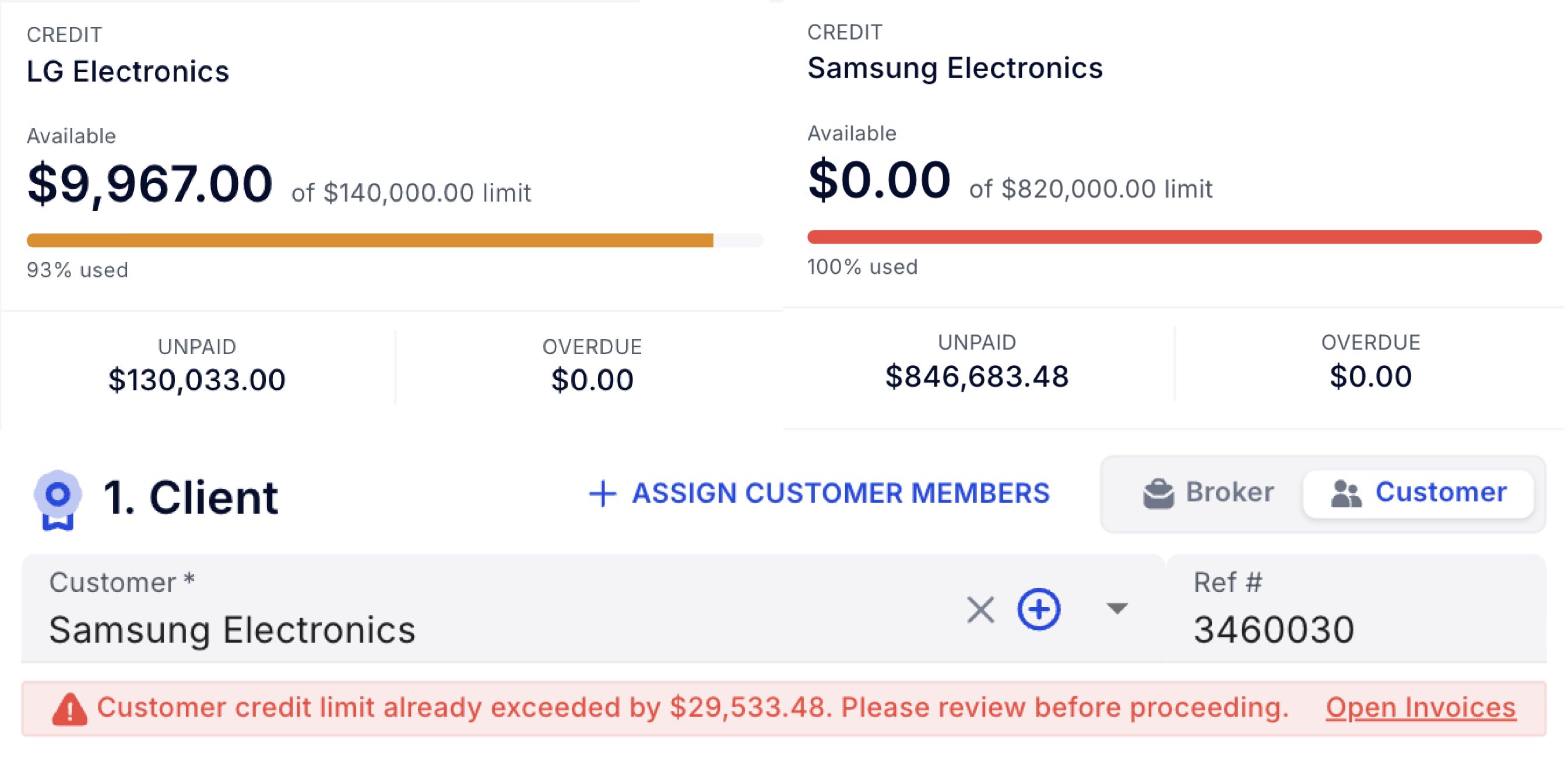
View each customer's open balance at a glance. New orders are blocked when credit limits would be exceeded, keeping your AR healthy and controllable.
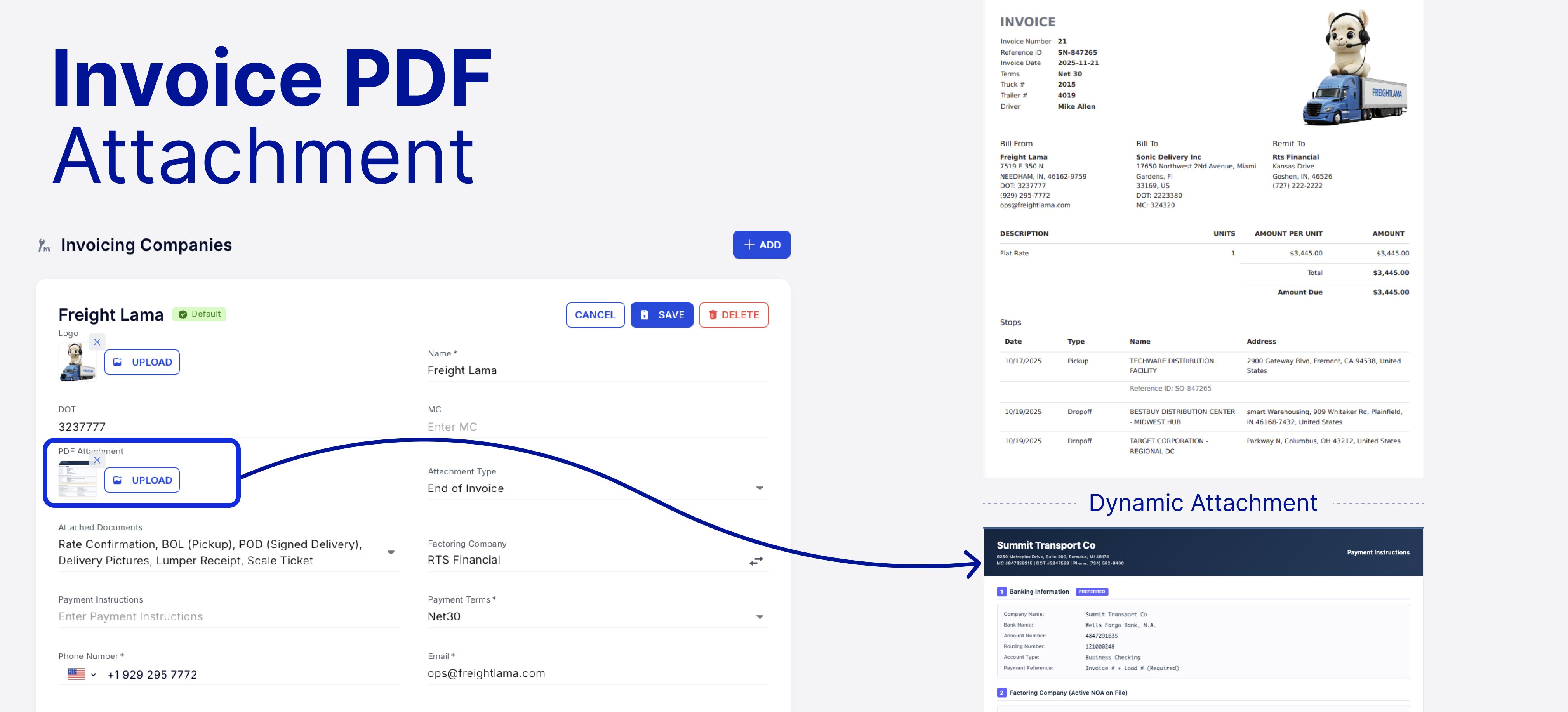
Custom PDF Invoice Attachments
Attach a custom PDF to all invoices—payment instructions, advertising sheets, or general terms. Set it once at the company invoicing preset and forget it.
Operational Flexibility
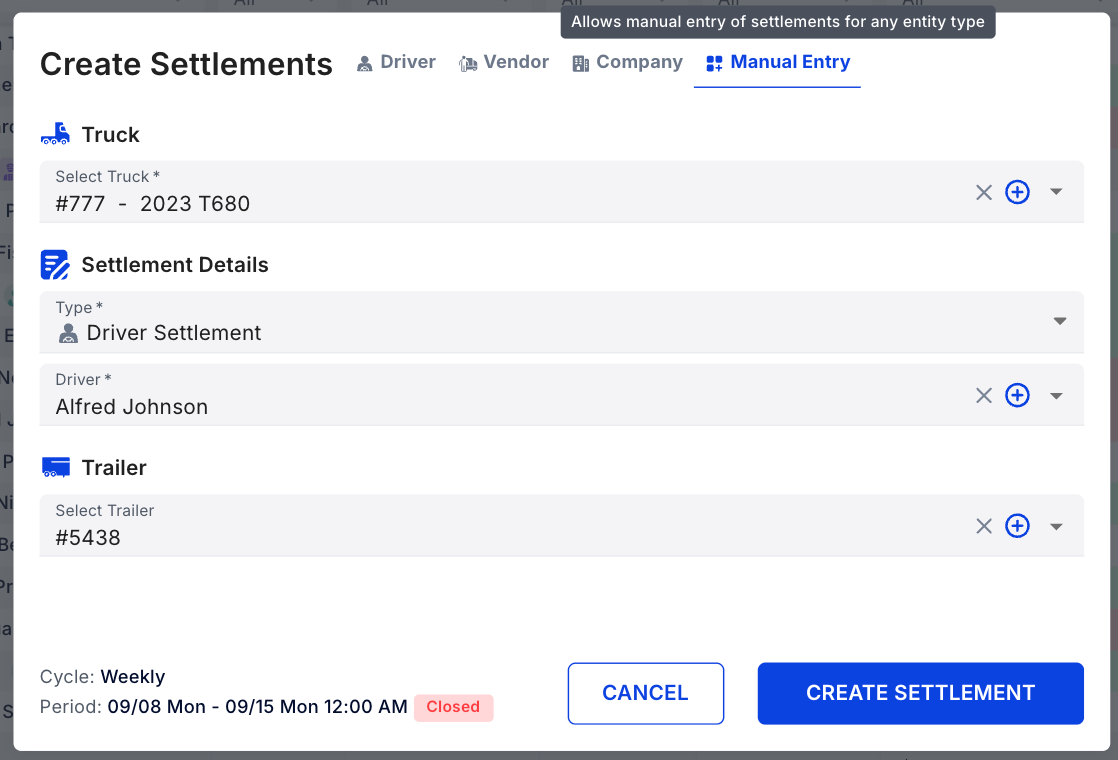
Manual Settlement Creation
Bypass automation when needed. Create settlements with any truck-driver combination—perfect for drivers who switched equipment multiple times in a week.
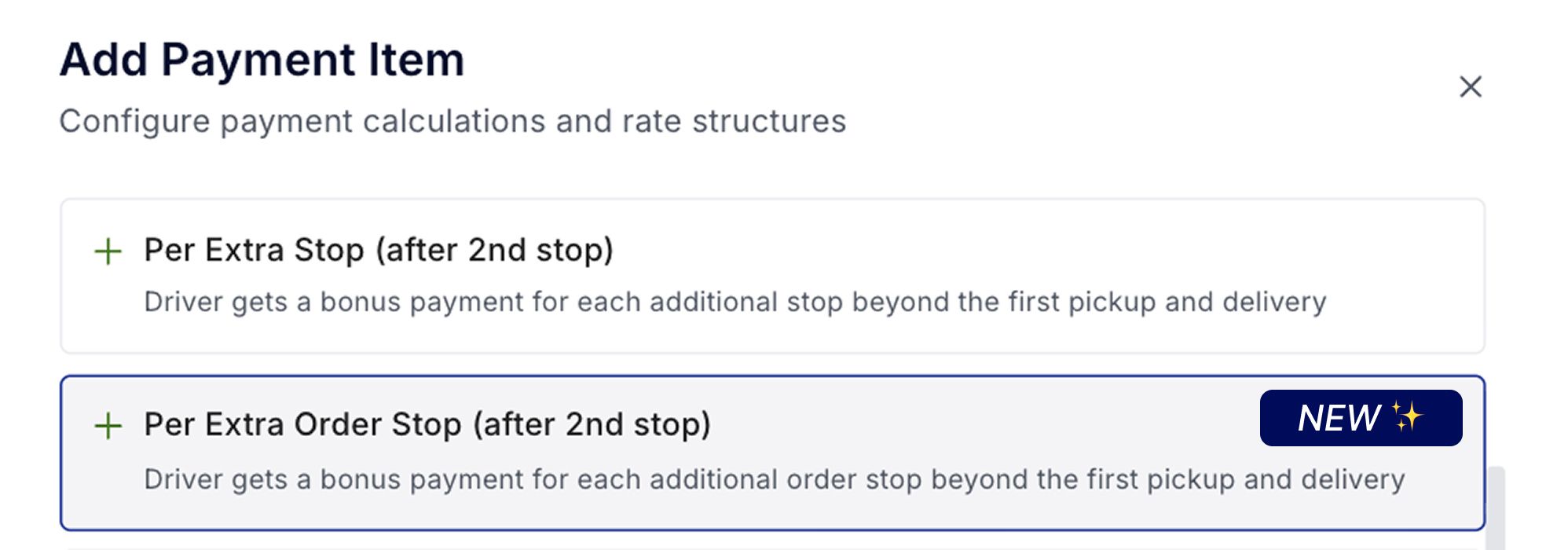
Pay per Extra Order Stop
New revenue type option: pay drivers only for billable (order) stops, excluding deroute stops or trailer moves. More granular control over driver compensation.
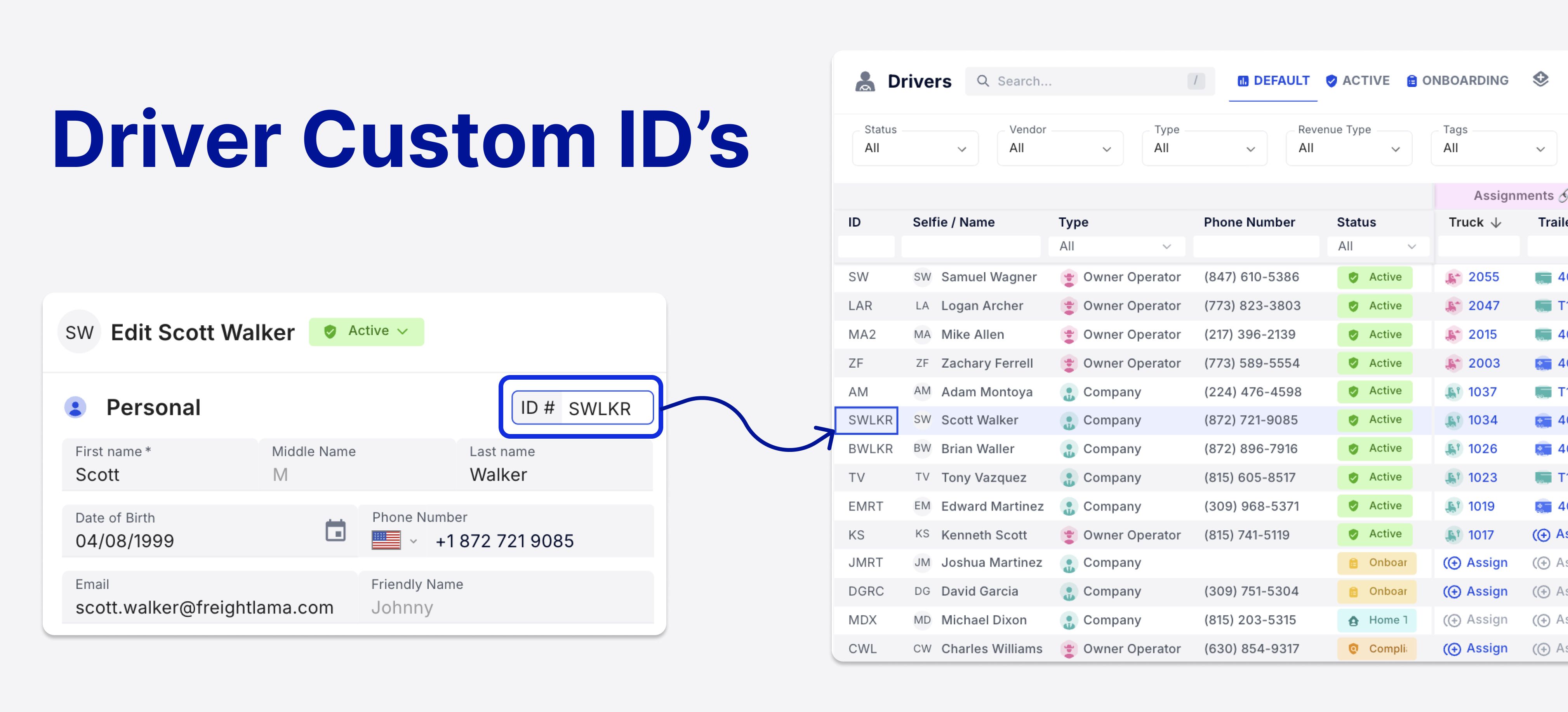
Editable Driver IDs
Assign and edit unique Driver IDs to distinguish between drivers with similar names. IDs now display across driver pages for better accuracy.
Organization & Customization
Custom Field Filtering, Sorting & Export
Custom fields are now fully integrated: add them to table views, filter by them in databases, sort columns, and include them in exports. Your internal organization, your way.
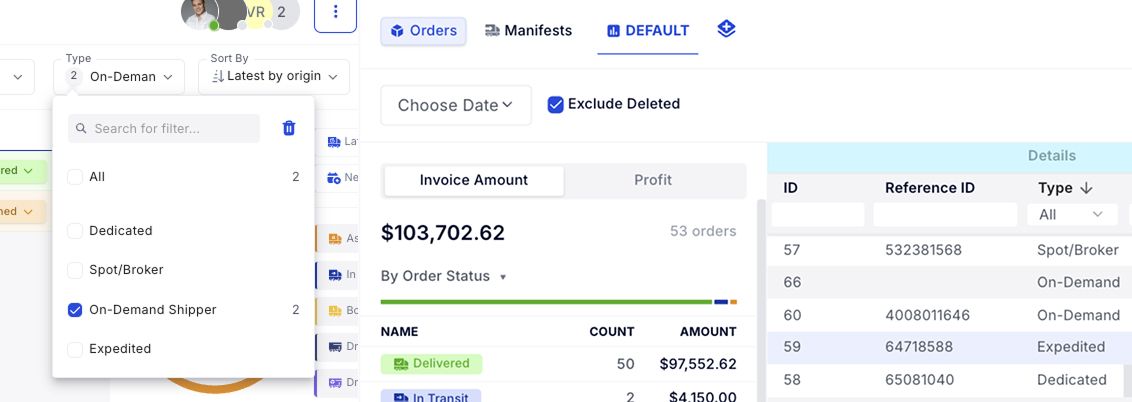
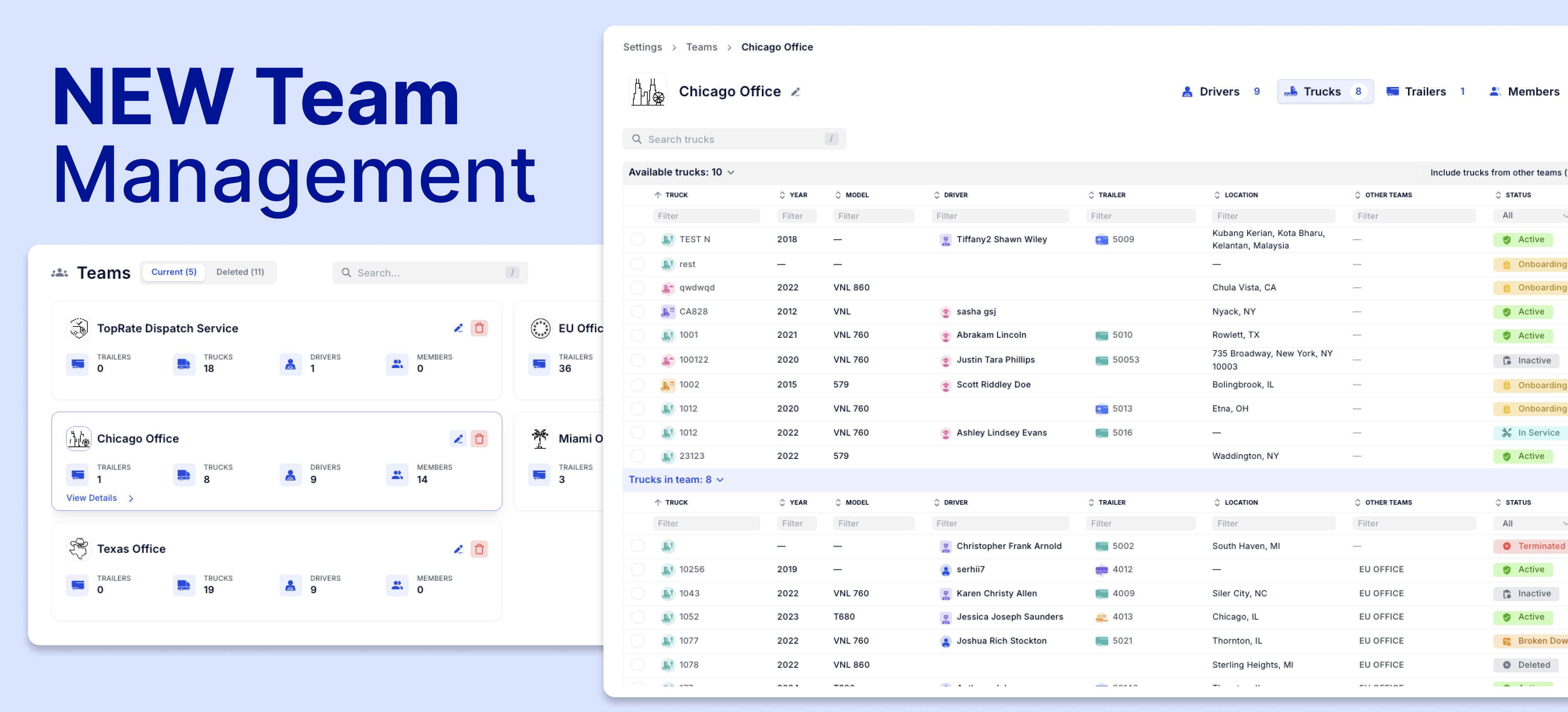
Updated Team Management UI
Assign and unassign assets, drivers, and users to internal departments with a cleaner, more intuitive interface. Managing multiple teams is now more effortless.
October 20th, 2025
New
Feature
Know what’s making money—and what’s not.
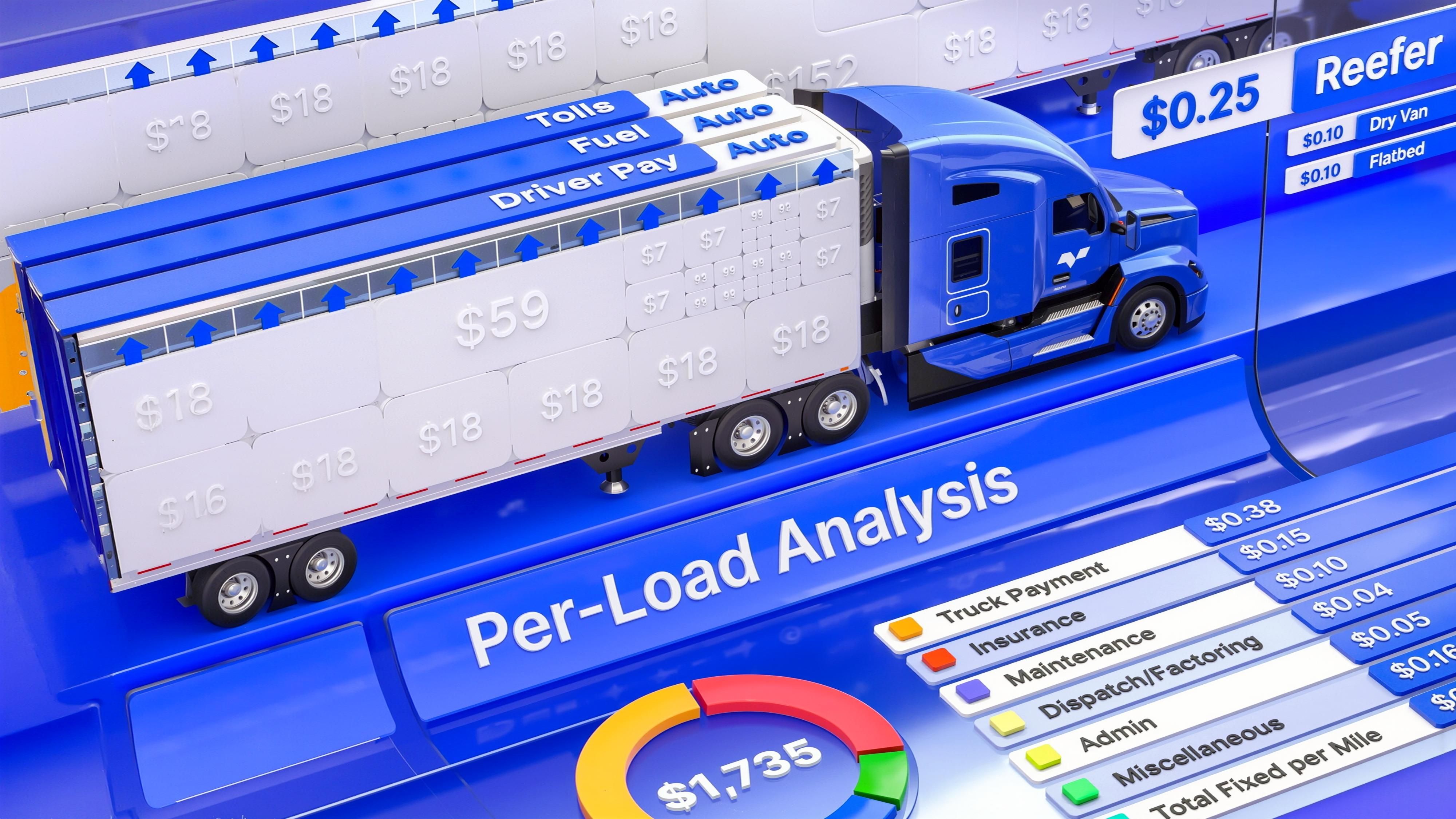
Profit Engine brings real-time, per-load profitability into every workflow in Vektor. Automatically.
No spreadsheets. No guesswork. Just one clear number: Estimated Net.
Why it matters
Margins are tight. But with Vektor, your operation can now:
See true profit per load—before or after it moves
Track margin across trucks, dispatchers, and customers
Act on what pays and cut what doesn’t
What’s new
Estimated Net (per load):
The headline number—updates live as stops, routes, fuel, driver pay, and rates change

Fuel & Tolls (auto):
Calculated from the most efficient truck route—no manual math
Driver Pay:
Auto-applies based on revenue type (percent, CPM, day rate, etc.)
Per-Mile & % Expenses:
Your default cost template translates monthly spend (e.g., maintenance, insurance, office) into accurate $/mi or % costs per load
Example: If maintenance averages $10,000/month and fleet mileage is 50,000 mi/week → monthly miles ≈
50,000 × 52 weeks / 12 months = 216,667 monthly mile average.
Per‑mile maintenance ≈$10,000 / 216,667 ≈ $0.046/mi. Repeat for office expenses, insurance, tires, etc.
How Profit Engine Works
Calculates fuel and tolls using the most efficient truck route.
Applies your driver pay rules—percent, CPM, or day rate—against load revenue
Your mapped expense items to get true $/mi or percentage costs, then roll everything up into Estimated Net—refreshed live as details change.
Dynamic by design: Any change (rate con, stop edits, route tweaks, driver assignment, new $/mi inputs) reflows straight into the profit line.
Setup Your Profit Engine
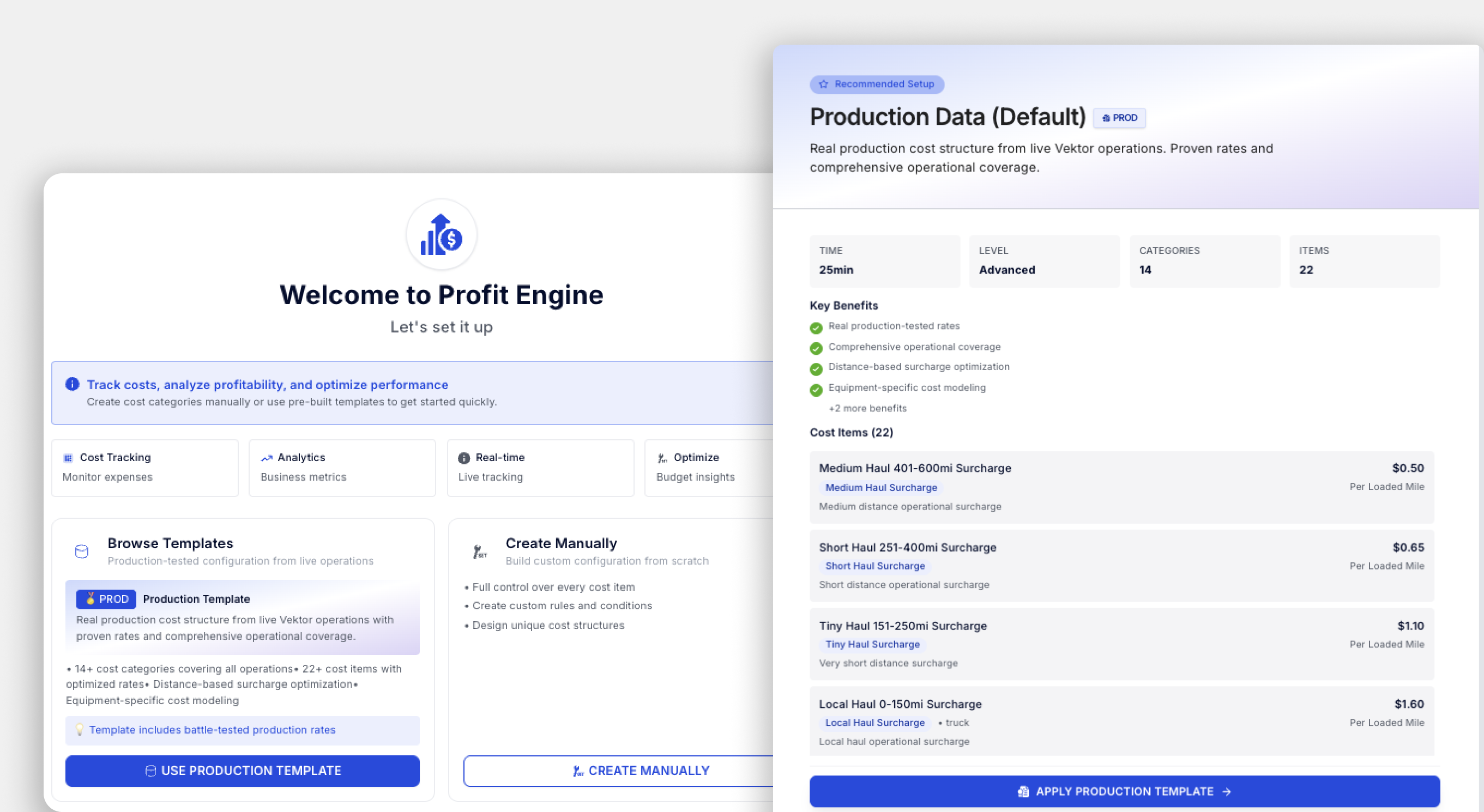
Included in your TMS—no add-on fees
Navigate to Settings → Profit Engine
Click “Import Vektor Template” to load default cost categories, based on Vektor’s thorough market analysis.
Adjust any values—factoring percentages, dispatch fees, maintenance, insurance, and more
Changes automatically apply to all future profit calculations
Where to view profit
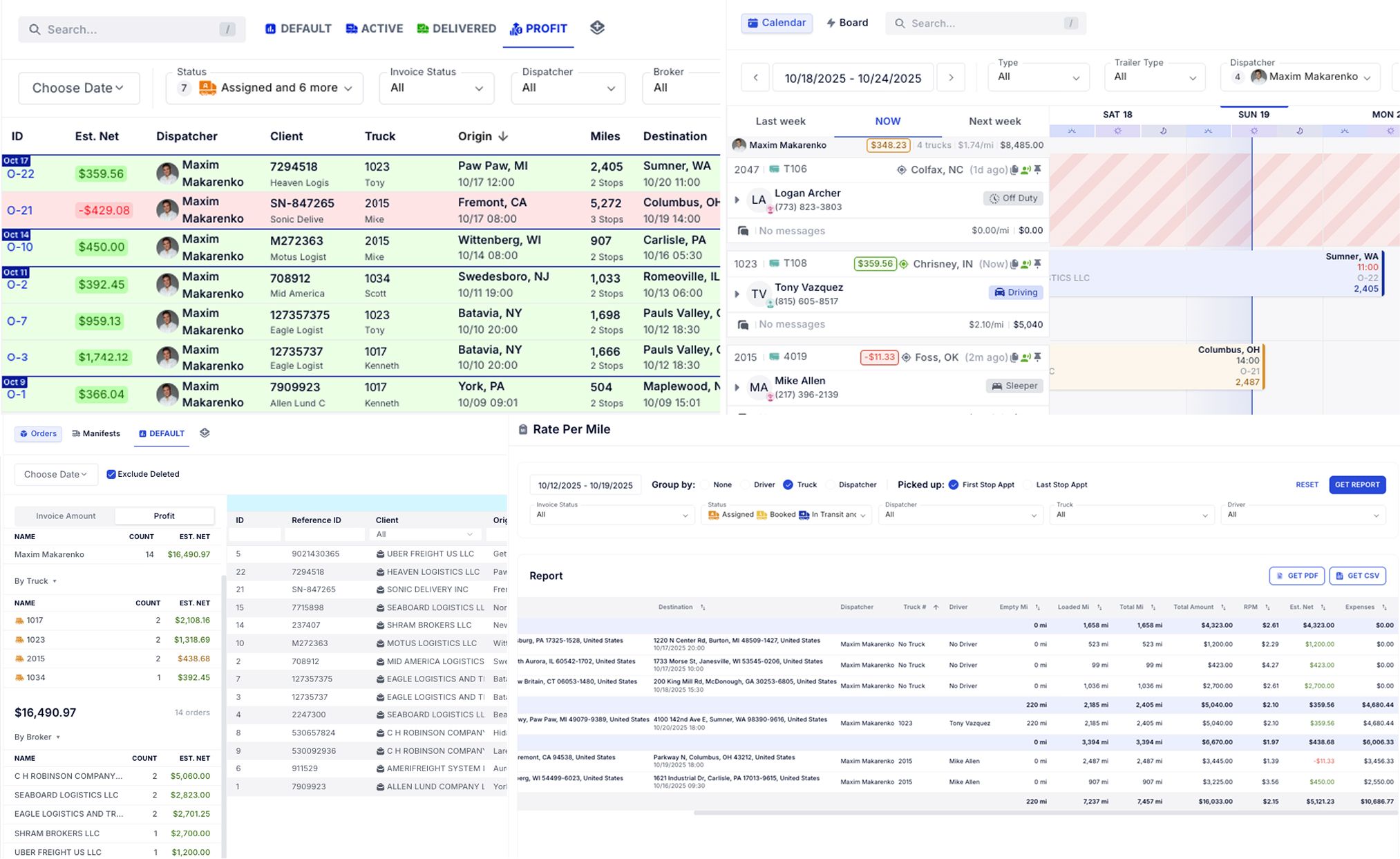
Estimated Net isn’t just a one-off number—it’s available across the platform to help you spot trends and act fast:
Orders Page: See load-by-load profit in context with dispatch
Truck Schedule: View total profit grouped by truck or dispatcher
Database Page: Analyze profit by truck, dispatcher, or customer with full filtering and export options
Rate Per Mile Report: Includes Net along with other data you need to get reports on—so you can compare real performance along with other detailed reporting.
Every view ties back to the same live logic—no manual syncs or exports needed.
Watch the walkthrough video or head to Settings → Profit Engine to start.
Have questions? Email support@vektortms.com or ask your CSM for a 15-minute setup review.
New to Vektor? Schedule Demo - https://calendly.com/vektortms
September 11th, 2025
New
Improved
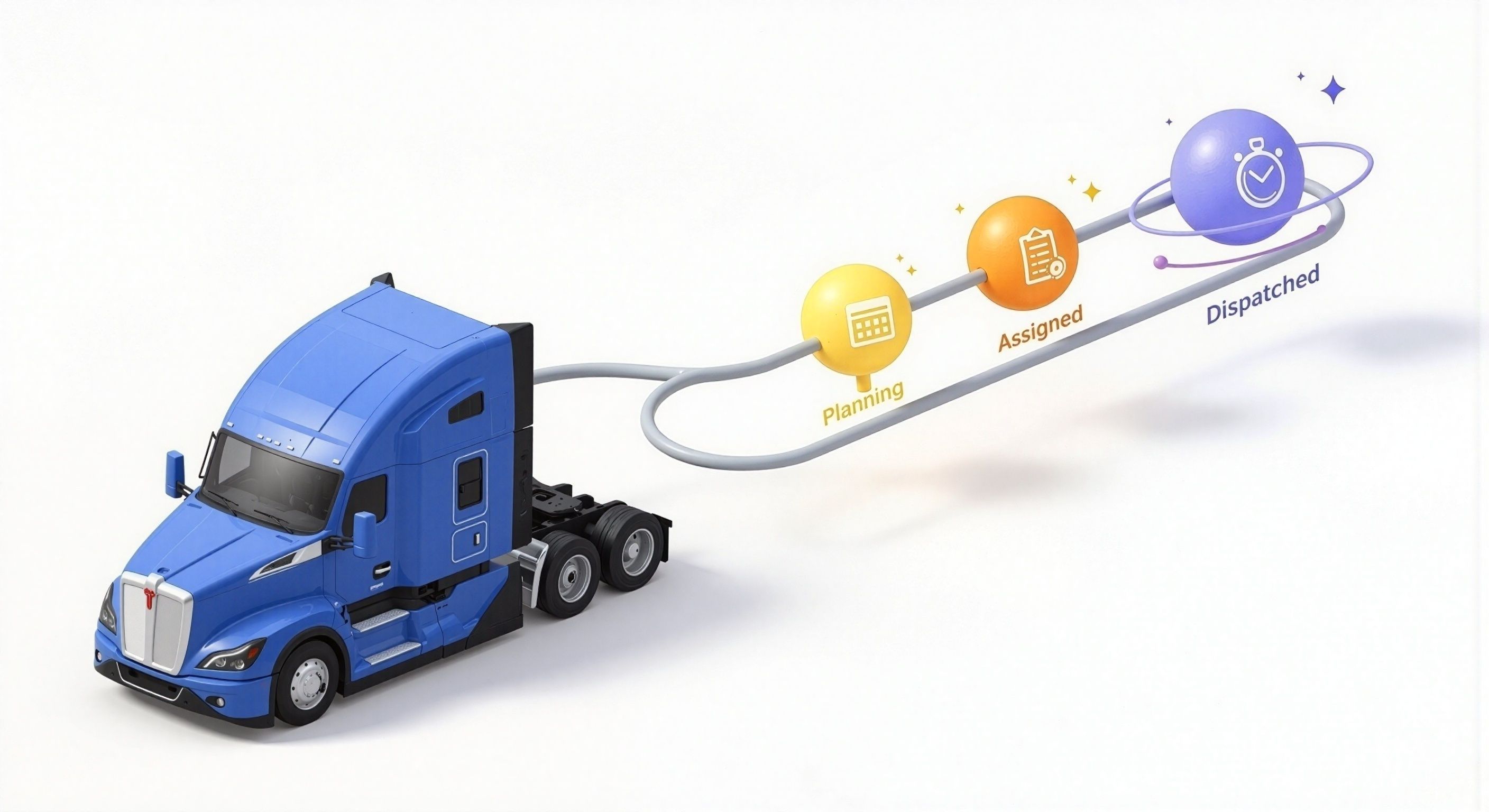
New “Dispatched” status gives you full control over when a load appears in the Driver App—perfect for preassigned loads and high-volume fleets.
Let’s say you’ve preassigned 3 loads to a driver—but only want them to see one at a time. Now, with “Dispatched” as a separate step after “Assigned,” you decide when it becomes visible.
What’s new?
Adds a new “Dispatched” status after “Assigned”
Driver only sees the load once it's marked Dispatched
Assignment alone no longer pushes to driver app
Impact
Prevents driver confusion with too many early notifications
Helps dispatchers pre-plan with less back-and-forth
Ideal for drop/relay, high-volume, or preplanned freight
How to use
Enable company-wide in Settings → Status Config.
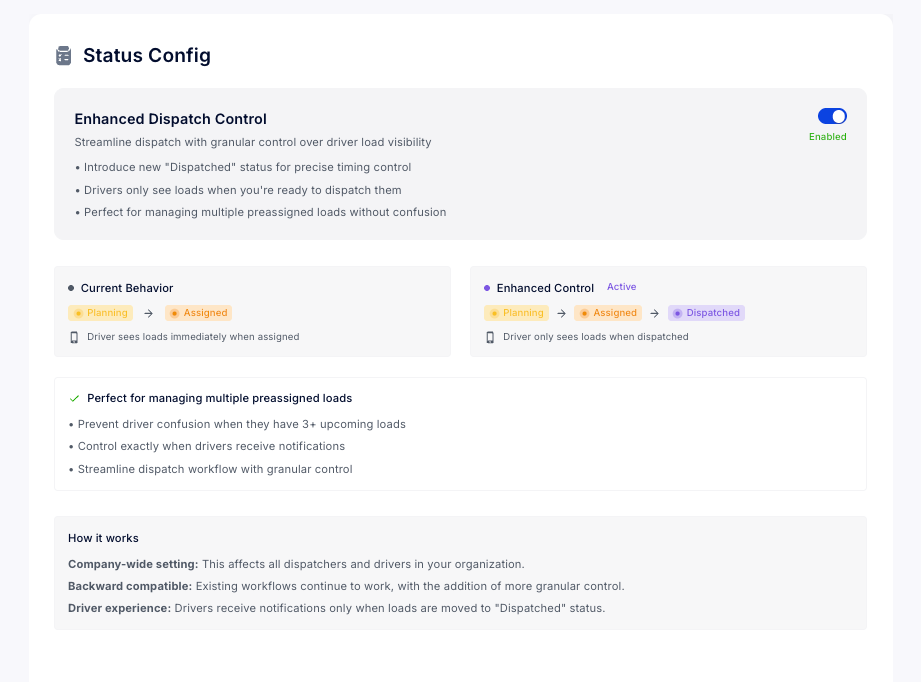
Switch manifests to “Dispatched” when ready to notify.
Next steps
Explore this setting in Status Config
September 8th, 2025
New
Improved
Feature
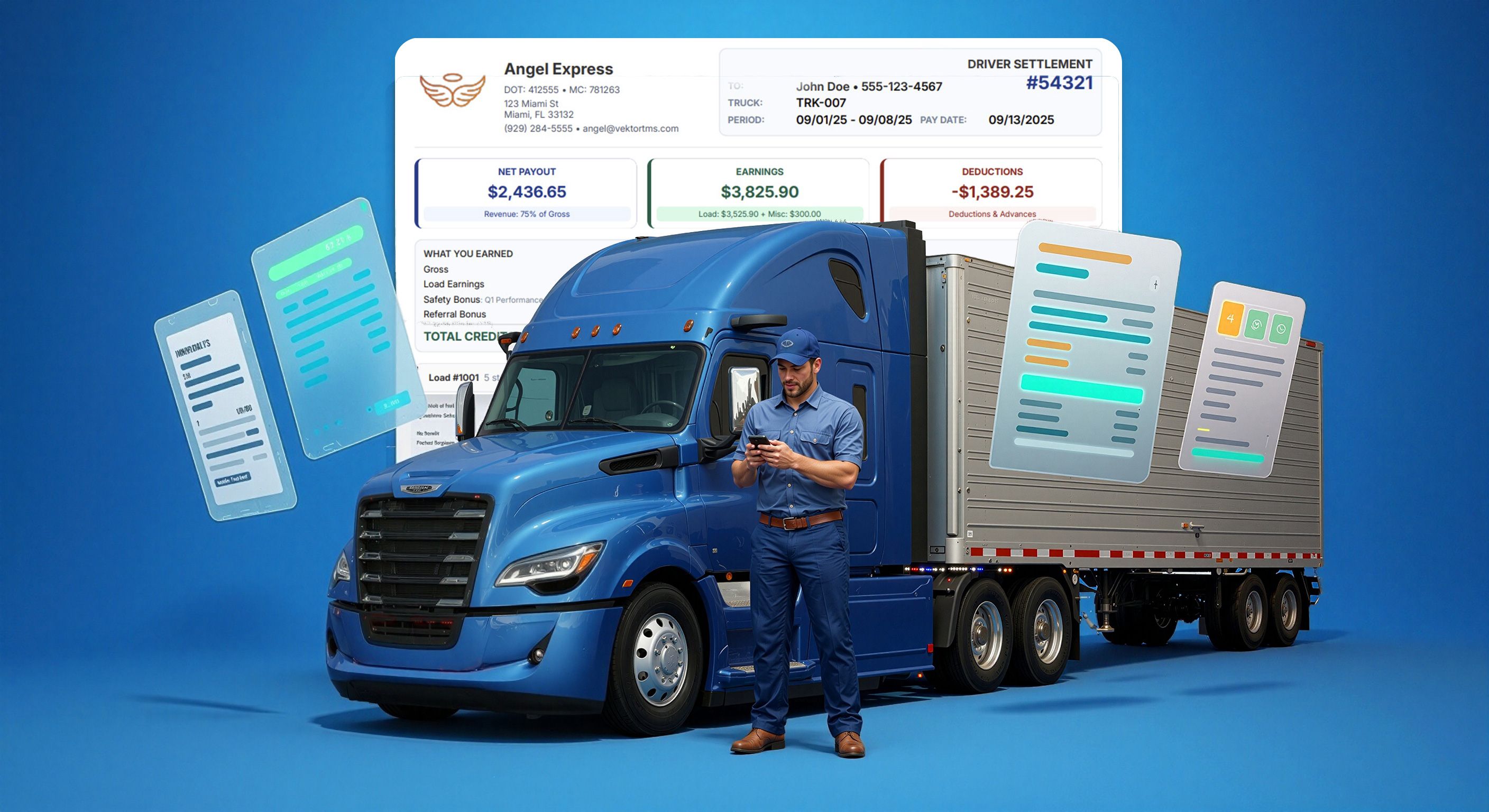
We’ve reengineered how driver and vendor settlements get styled and structured. Now you can pick from multiple PDF templates—and decide, line by line, what gets shown—based on driver type, vendor, or company and preview changes in Real-Time.
This lets you tailor settlements to your audience: simplified for drivers, detailed for owner operators. All in one place. All fast.
What’s new?
• Configure settlement display settings by driver type
• New template selector for driver, vendor, and company P&L’s
• 14+ configurations: gross pay, miles, credits, fuel, tolls, extra stops, breakdowns
• 4 professional settlement styles: Formal, Balanced, Visual, Visual Strict
• Preview and PDF load speeds have been significantly improved
Styles included
🖤 Formal — clean black & white, designed to be print optimized & PDFs
⚖️ Balanced — our original template, minimal, compact, used as default; now fully configurable
🎨 Visual — clear layout, color-coded for driver transparency
🧩 Visual Strict — hybrid of visual style + balanced layout; most compact of all
How to use
1. Go to:Settings → Document Templates → Settlements
2. Pick a role:
Driver / Vendor / Company → + New Template
3. Choose configuration settings:
Show Company Logo
Show Miles
Hide Vendor's Driver Name
Show Gross Pay
Show All Stops (incl. mid‑route multistops)
Show Stop Time (toggle between time or date)
Pay Breakdown (e.g., loaded & empty miles)
Calculation Details (formulas for qty × rate)
Extra Stop Items Only (for cleaner display)
4. Add extras (if supported by template):
Breakdown: Credits / Debits / Fuel / Tolls
July 30th, 2025
New
Integration

Create lumpers and advances that instantly generate the invoice line and the driver deduction, tagged to your cost categories, and flow straight into the invoice or next settlement—no double entry or context‑switching.
What you can do today
1) Digital Payments / Money Codes
Issue Relay lumper codes from the active stop in Vektor and email/SMS them to the warehouse or driver in seconds.
Create cash‑advance codes that drivers can cash out immediately—auto‑deducted on the next settlement with a full audit trail.
Auto‑invoice the customer in the same step you issue the lumper—no duplicate entry, no chasing backup later.
See live status & history for every code directly on the order/manifest.
2) Fuel Data Feed
Real‑time fuel import: Vektor pulls Relay fuel transactions as soon as they post.
Auto‑match to the right tractor & driver, then apply to the next settlement with correct categorization.
Live cost‑per‑mile updates as new purchases arrive, improving lane and margin decisions without manual work.
How to activate (one‑time, < 5 minutes)
Generate keys in Relay
In your Relay dashboard, create two keys: Fuel API Key and Money Code API Key.Plug them into Vektor
Go to Settings → Integrations → Relay Payments and paste both keys.Click Activate — you’re live.
(Permissions apply. You’ll need an active Relay account with API access.)
Why it matters
One system, fewer clicks — Issue, invoice, and deduct on a single screen in Vektor.
Faster cash flow — Lumpers are billed to the order instantly; driver advances deduct automatically.
Less driver friction — No app switching, no manual approvals, no follow‑ups.
Real‑time visibility — Fuel spend streams into settlements; CPM and profitability update continuously.
Audit‑ready by design — A single source of truth for codes, fuel, and settlements—with complete history.
Ready to connect?
Update your keys, tap Activate, and enjoy friction‑free money movement between Vektor and Relay Payments. 🚀
July 29th, 2025
New
Improved
Fixed
Feature
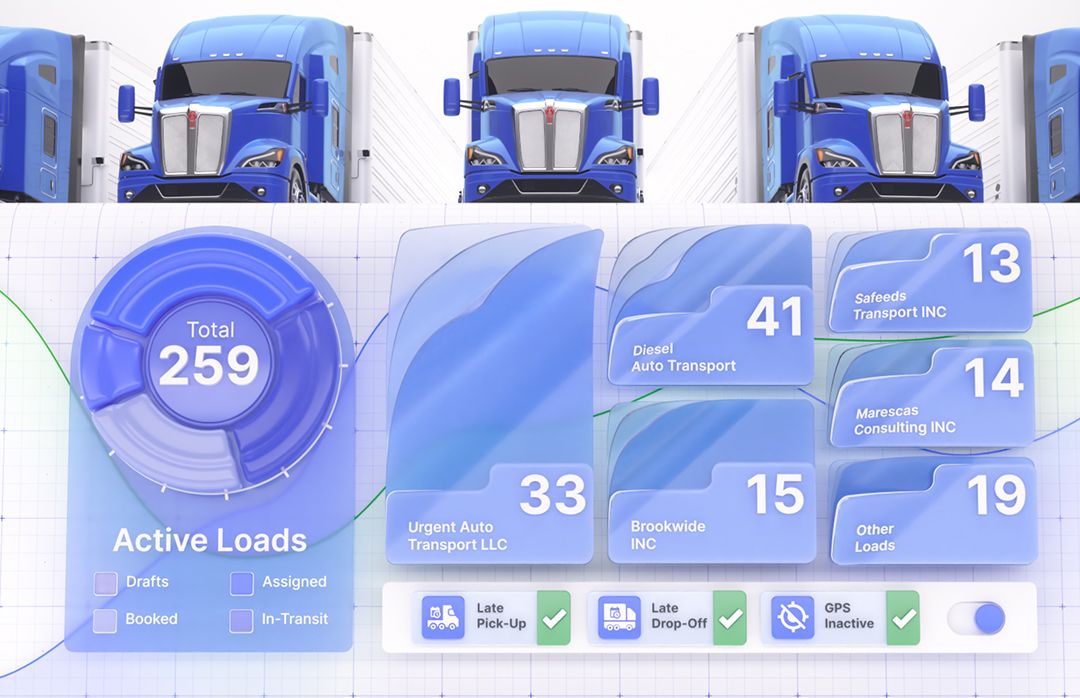
Focused improvements you can feel right away: reports are more detailed and fast, settlements run & export faster, audit trails are clearer with detailed event logging, and cost logic provides now even more control & visibility!
📊 Reporting Improvements (Revenue by Dispatcher, RPM, Order Export)
What’s new? These reports now run on new search engine with time‑zone handling improved, affecting stability and performance. And new profit metric incorporated in all reports.
How to use: Open Reports and run the same report names—you’ll notice steadier results and quicker responses along with expanded data points.
Why it matters: Faster queries make Vektor’s data more usable in day‑to‑day ops.
💸 Settlements Performance Boost
What’s new? Settlement sync and PDF generation are significantly faster.
How it helps: Shorter verification cycles and faster pay runs—especially important for high‑volume weeks.
🧾 Settlements Tab on Driver & Vendor Profiles (ZIP Export)
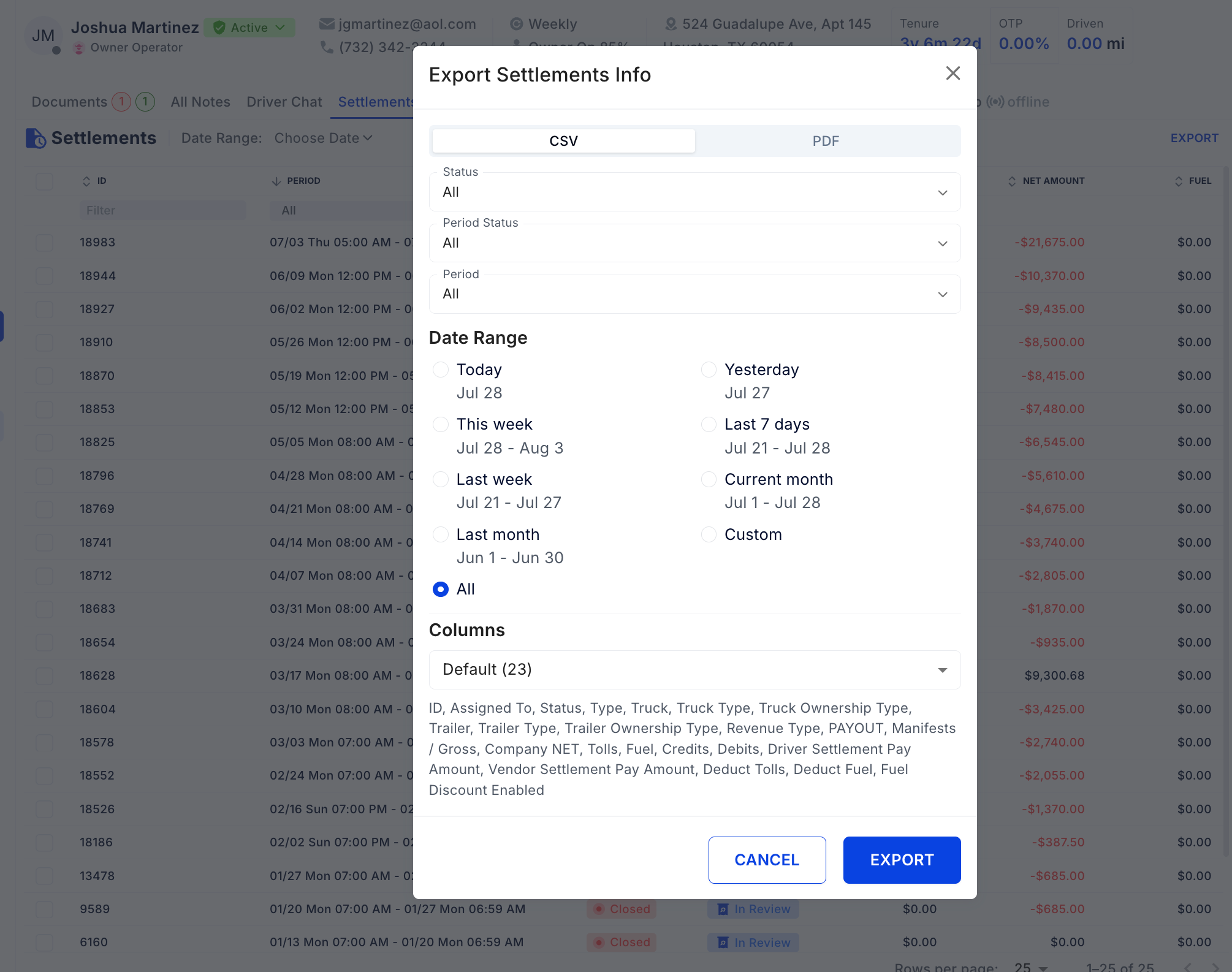
What’s new? New Settlements tab on Driver and Vendor profiles (also in Edit Driver) with the ability to select settlements and export them as a ZIP.
How to use: Go to a Driver or Vendor profile → Settlements → select rows → Export.
Why it matters: One place to review history and bulk‑download docs—ideal for audits, factoring, and dispute resolution.
🗂️ Audit Logging for Document Changes
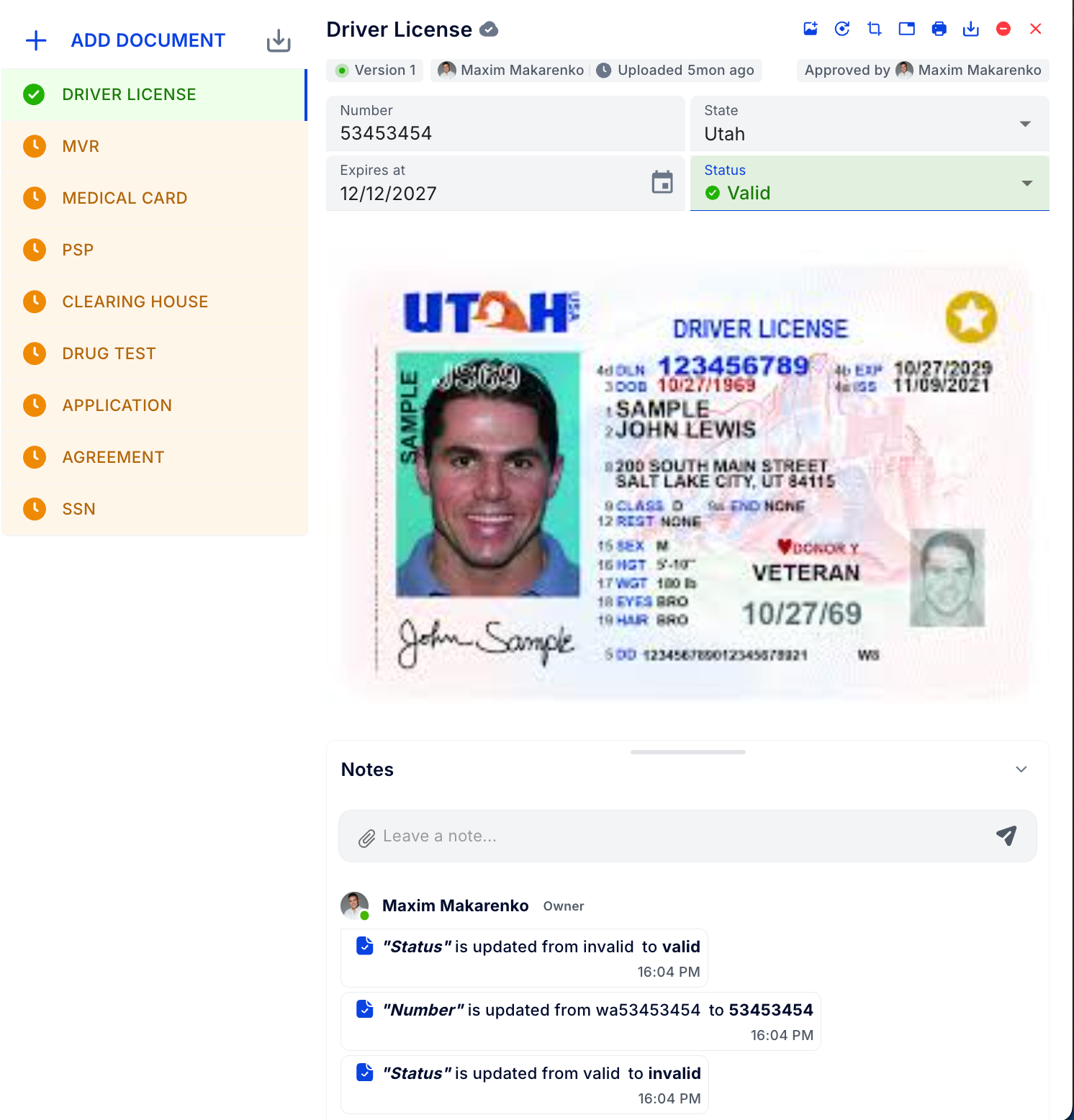
What’s new? Document edits and deletions are recorded as Notes right under the document.
How to use: Open the document to review its Notes change trail.
Why it matters: Clear, audit‑ready histories for compliance reviews and faster root‑cause analysis.
🧾 Change Logging for Invoice Item Categories

What’s new? Adjustments to Invoice Item Categories now produce Notes for a permanent change log.
How it helps: Transparent billing rules and easier back‑tracking when totals don’t match expectations.
🚫 Assignment Guard: Revenue Type Required
What’s new? A driver cannot be assigned to a truck unless the driver has a linked Revenue Type.
How to use: If blocked, open the Driver profile → add Revenue Type → retry.
Why it matters: Prevents payroll errors and ensures settlements calculate correctly from day one.
🔧 Service Log Upgrades
What’s new?
Improved UI in Create Service Log for smooth scrolling on big data volume
Deductions now included in Totals
Fixed totals accuracy and table search reliability
How it helps: Faster entry on large fleets and totals you can trust.
🔁 Convert to Recurring Transactions (+ Allow Duplicates)
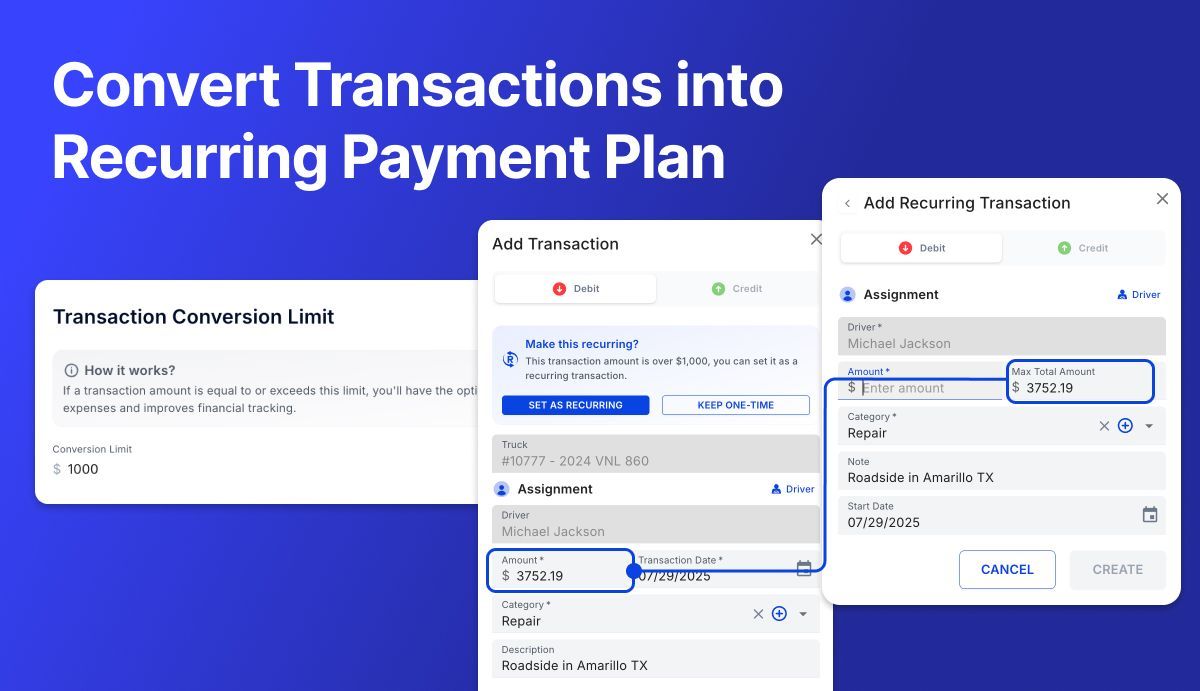
What’s new? Convert a one‑off transaction into a recurring one when it meets a configurable amount threshold (permission‑based), for use cases when a large repair needs to be broken down into a payment plan. You can also keep two identical recurring transactions when needed.
How to use:
Set the threshold in Settings → Settlements
You’ll see the convert prompt in the transaction dialog, the Transactions page, and Driver page
Review/manage on Recurring Transactions
Why it matters: Automates repeat spend, reduces manual entry, and supports nuanced accounting cases.
📦 Manifest Gross Override — Now Locked
What’s new? After a manual Manifest Gross override, it stays locked. Changes to Order Invoice Items will not re‑sync the Manifest Gross.
Why it matters: Protects intentional adjustments during reconciliation and prevents surprise changes later.
🧠 Auto‑Assignment Resilience (Manifests, Tolls, Fuel)
What’s new? Auto‑assignment will benefit from smarter edit mode.
How it helps: Fewer missed auto‑assignments and less manual cleanup in settlements.
📝 Notes Performance — Up to 10× Faster
What’s new? Major performance optimization for Notes across entire Vektor.
Impact: Quicker reviews and collaboration, even on records with long histories.
👤 Driver Middle Name Configuration
What’s new? Optional Middle Name field for drivers.
How to enable: Settings → Drivers.
Why it matters: Cleaner identity data for documents, exports, and 1099 matching—especially useful when drivers share first/last names.
Thanks for running your operations on Vektor TMS. Put these upgrades to work today!
July 28th, 2025
New
Feature
Deliver live shipment visibility to your customers with a simple FourKites connection—no extra driver steps required. Connect your FourKites account, choose which shippers/brokers to share with, and cut down on check calls and tracking-link requests.
Why connect?
Always‑on tracking – Location data from the Vektor Driver App and/or connected ELDs streams to FourKites in real time.
Shared source of truth – Your customers see the same location, status, and ETA data you see in Vektor—fewer check calls and no surprises.
Granular sharing controls – Decide exactly which customers receive your feed; enable/disable any time.
Zero‑code setup – Activate in minutes from the Vektor Integrations marketplace.
How to enable the integration
Sign in to Vektor TMS and open Settings ▸ Integrations ▸ search for FourKites
Click New Connection and pick the customer you want to share data with.
Select the update types to send—Tracking, Status, and/or Assignment.
Press Create. That’s it! Your FourKites feed goes live instantly.

Enjoy a smoother, more transparent shipping experience—with fewer phone calls and faster answers—while we continue refining Vektor for your needs.