January 19th, 2026
New
Improved
Feature
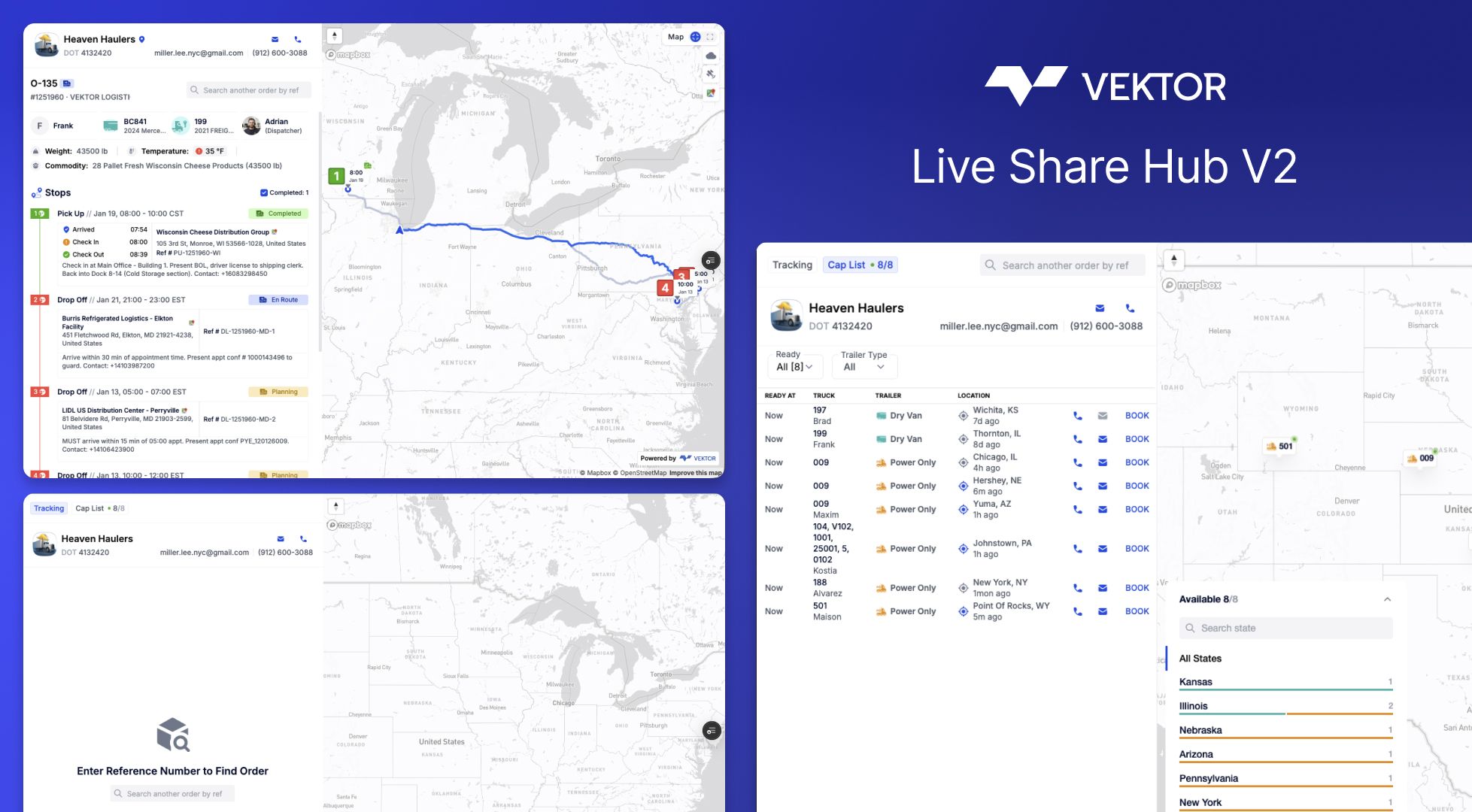
Live Share Hub — Stop Being Your Customer's GPS
"Where's my load?" — the three words that interrupt your dispatch floor more than anything else.
Live Share V2 kills the check-call cycle. Your customers get instant, self-service tracking. You get your phone back.
The problem we solved
You've been the middleman between customers and shipment status since forever. They call. You check. You call back. Repeat 47 times a day.
Live Share V2 flips the script: share once, let customers track forever—with exactly the visibility you choose to give them.
What's new
🎛️ You Control What They See
Every tracking link is now fully configurable. Decide per-load or per-customer:
ETA Updates — Real-time arrival times that update automatically. Delays? They see it before they call.
Driver Contact — Need them to reach the driver directly? Toggle it on. Prefer they go through dispatch? Keep it off.
Paperwork Access — Choose visible docs: BOL, POD, lumper receipts, scale tickets. Your call.
Multi-Load Search — Let repeat customers search all their shipments from a single link
Real scenario: Your biggest customers wants full visibility with driver contact. A new customer on their first load with you gets milestone-only until they're vetted. Set it once per customer—it applies automatically.
🔐 ZIP Authentication (Smart Security)
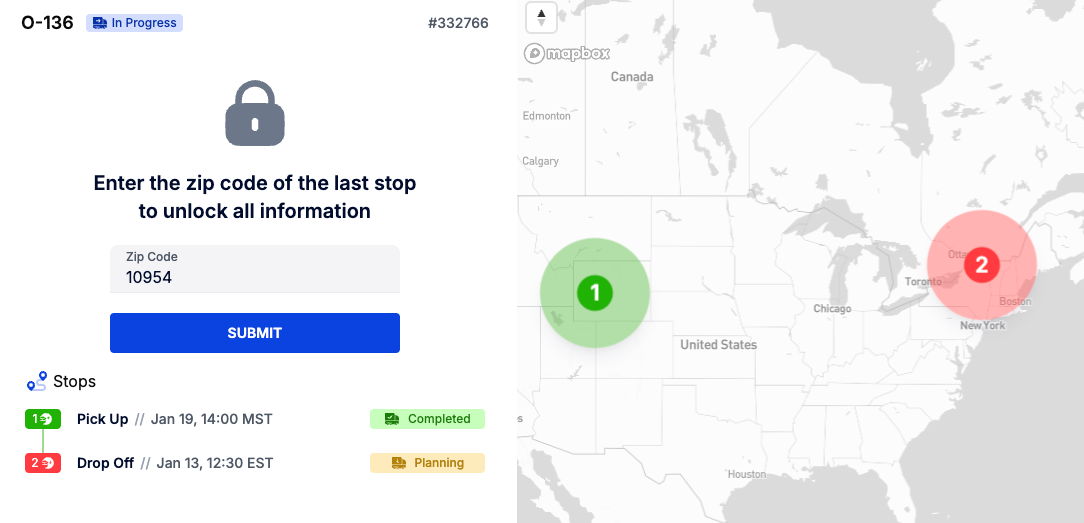
Here's how it works:
Direct share link? Customer opens it, sees everything you've enabled. No friction.
Searching for another load? They enter the delivery ZIP to unlock. Proves they're the right person.
Global tracking link? ZIP required. Keeps your public portal secure.
Security where it matters. Zero friction where it doesn't.
📊 Finally Know If Anyone's Actually Using These Links
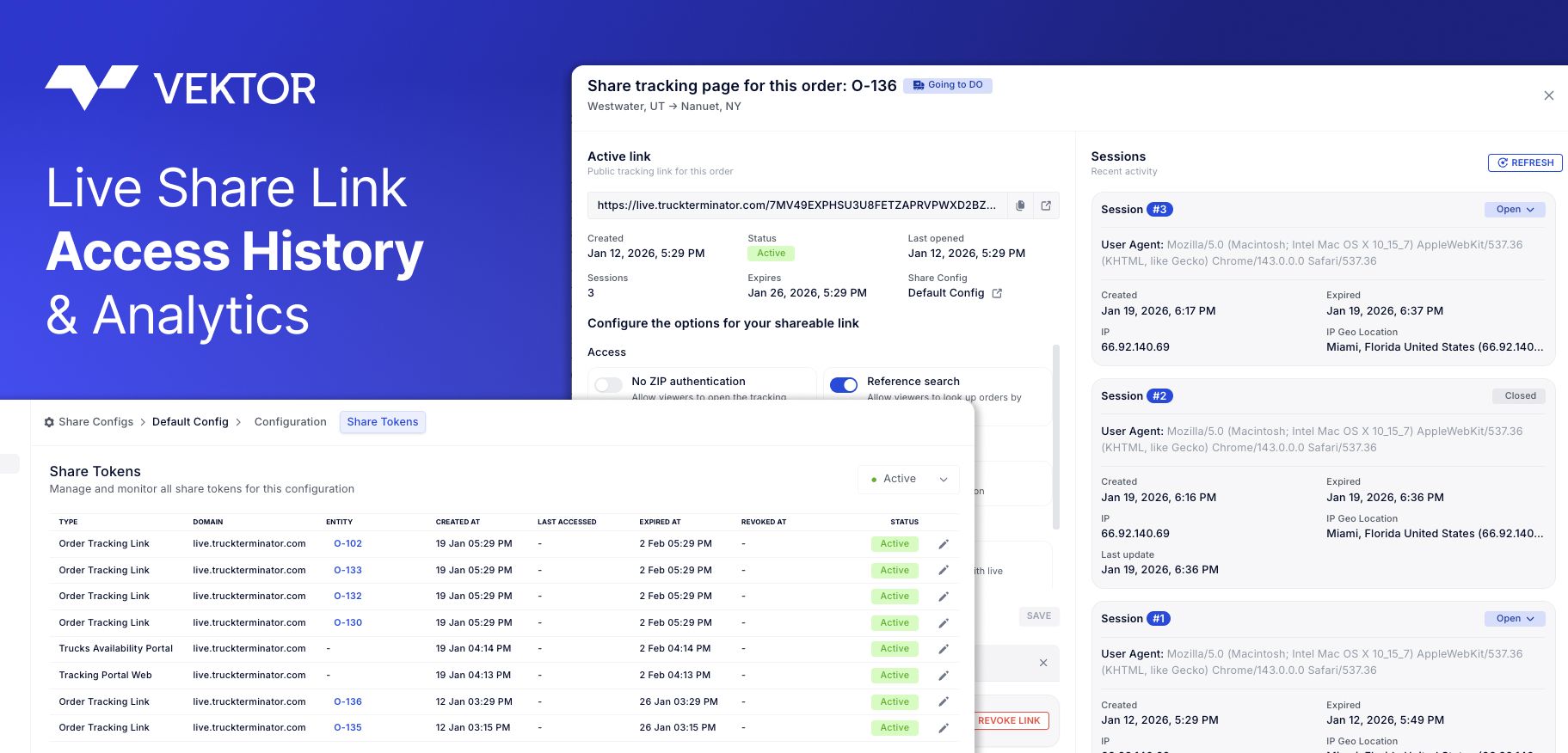
Every share link now tracks:
When it was created
How many times it's been opened
Full access history
Translation: Stop sending tracking links into the void. Know which customers self-serve and which ones still call every 2 hours.
🌍 Global Tracking Portal + Capacity Broadcast
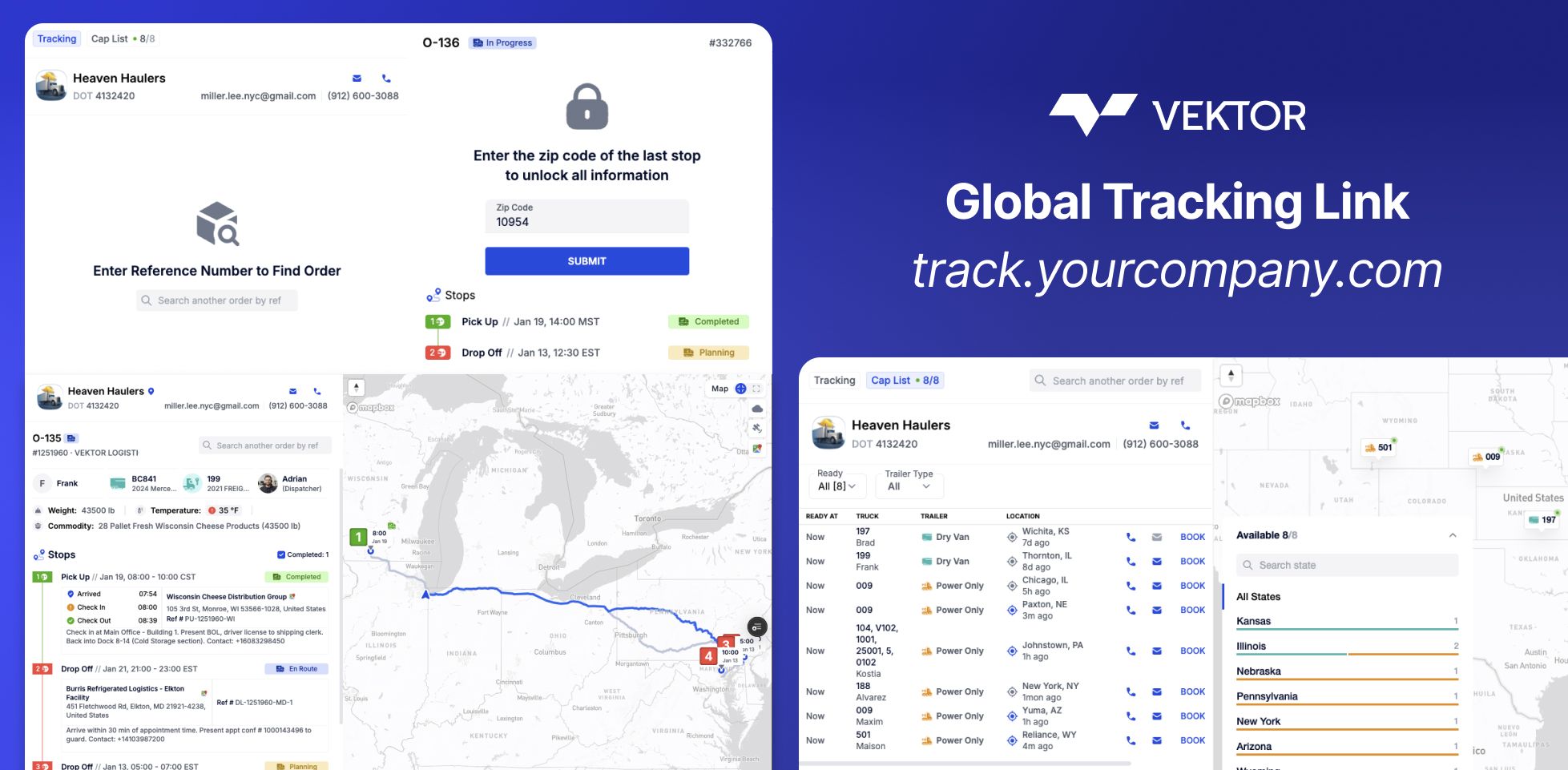
This is the feature that turns tracking into a sales channel.
Share a single link (on your domain: track.yourcompany.com) that lets customers and partners:
Track any load by reference number (with ZIP authentication)
See your available trucks in real-time—location, equipment type, driver
Submit booking requests directly to your team
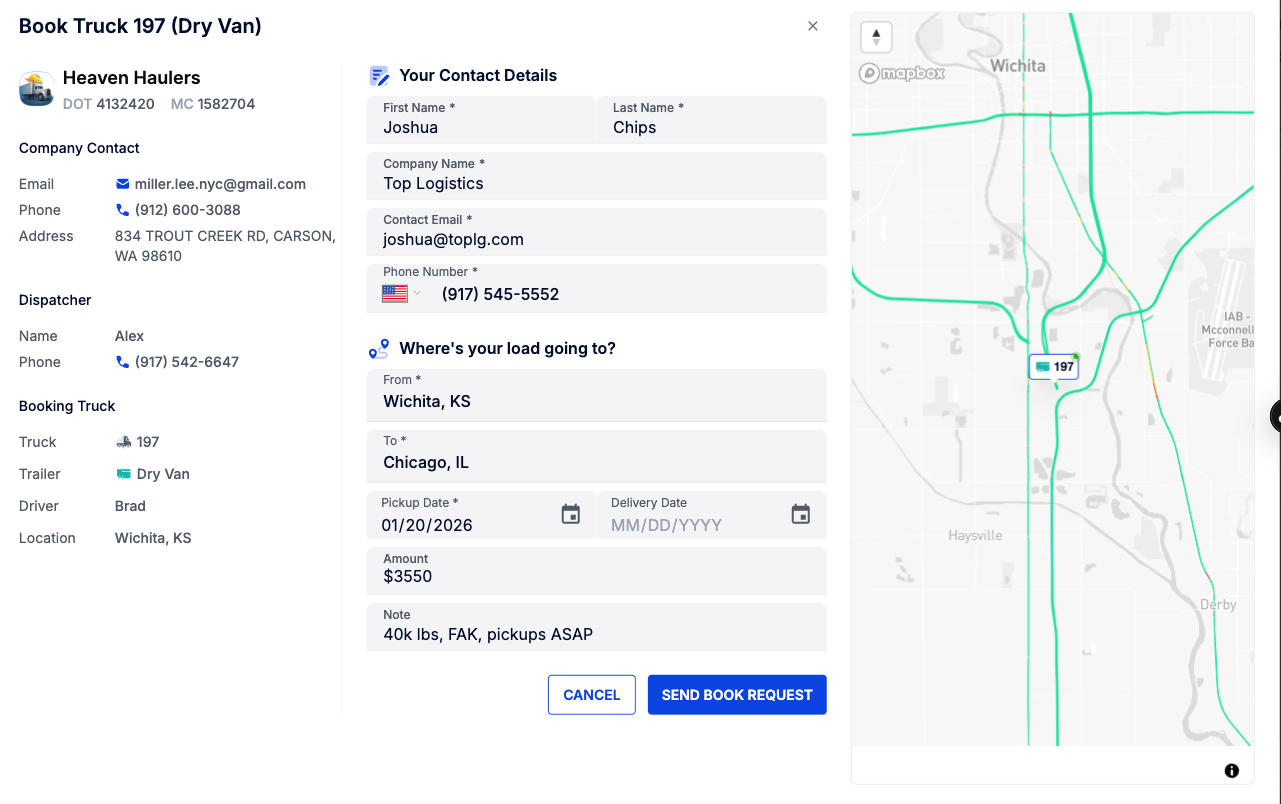
When someone clicks "Book" on an available truck:
If a dispatcher is assigned → request goes to their inbox
No dispatcher? → goes to your company email
They fill out contact info, lane details, dates, and rate. You get the lead. No phone tag required.
Use case: Post your capacity link in your email signature. Customers check your trucks before calling. The good ones book directly. The tire-kickers filter themselves out.
🏢 Customer-Specific Presets
Different customers, different rules. Save configurations per customer:
Set it once. Every load you share with that customer automatically uses their preset.
🌐 Your Domain, Your Brand
Replace vektor.live with your own domain. tracking.yourcompany.com or track.yourfleet.com—whatever fits your brand.
Your customers see your company on every tracking link. Not ours.
How to use it
Share a single load: Order → Share → adjust toggles → copy link
Set customer defaults: Settings → Share Config → select customer → configure → save
Enable your tracking portal: Settings → Share Config → Global Tracking → set your domain → go live
Broadcast capacity: Your global link automatically shows available trucks. Partners can track or book.
The payoff
Also shipped
Live Preview — See exactly what customers see before sending
Access history — View who opened what and when, right in the share modal
Mobile-optimized tracking experience for customers
Faster link generation — performance improvements under the hood
Ready to stop being a human GPS?
Head to Settings → Share Config and set up your first customer preset.
New to Vektor? Start free trial or schedule a demo.
Questions? Email support@vektortms.com or ask your CSM.