July 29th, 2025
New
Improved
Fixed
Feature
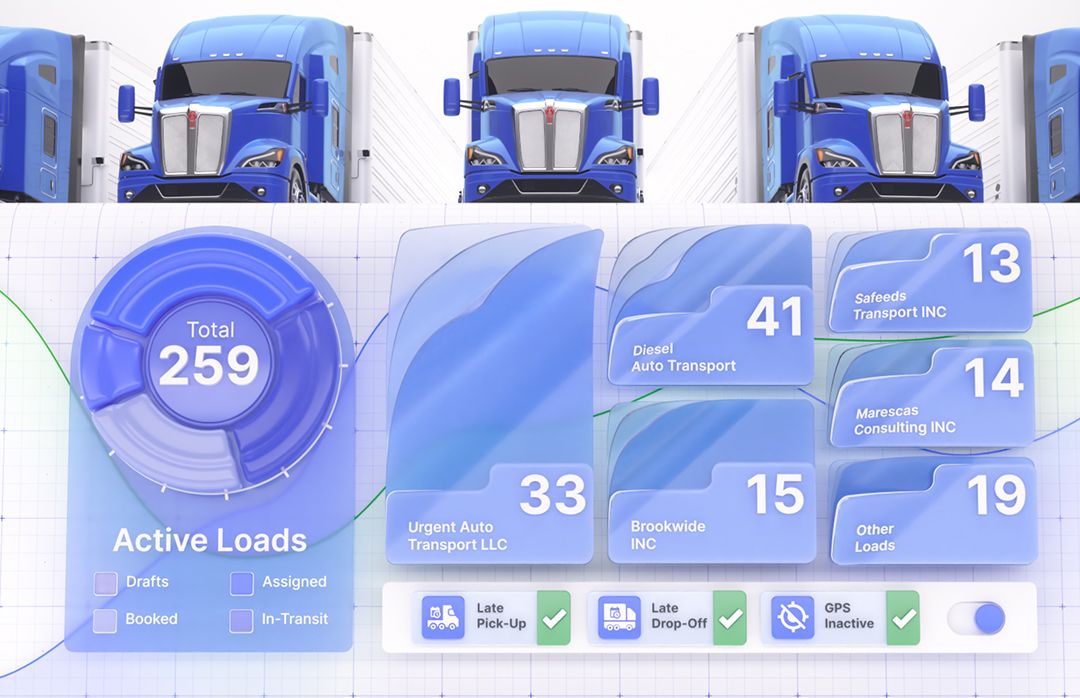
Faster Settlements, Stronger Reports, Audit‑Ready Changes & More!
Focused improvements you can feel right away: reports are more detailed and fast, settlements run & export faster, audit trails are clearer with detailed event logging, and cost logic provides now even more control & visibility!
📊 Reporting Improvements (Revenue by Dispatcher, RPM, Order Export)
What’s new? These reports now run on new search engine with time‑zone handling improved, affecting stability and performance. And new profit metric incorporated in all reports.
How to use: Open Reports and run the same report names—you’ll notice steadier results and quicker responses along with expanded data points.
Why it matters: Faster queries make Vektor’s data more usable in day‑to‑day ops.
💸 Settlements Performance Boost
What’s new? Settlement sync and PDF generation are significantly faster.
How it helps: Shorter verification cycles and faster pay runs—especially important for high‑volume weeks.
🧾 Settlements Tab on Driver & Vendor Profiles (ZIP Export)
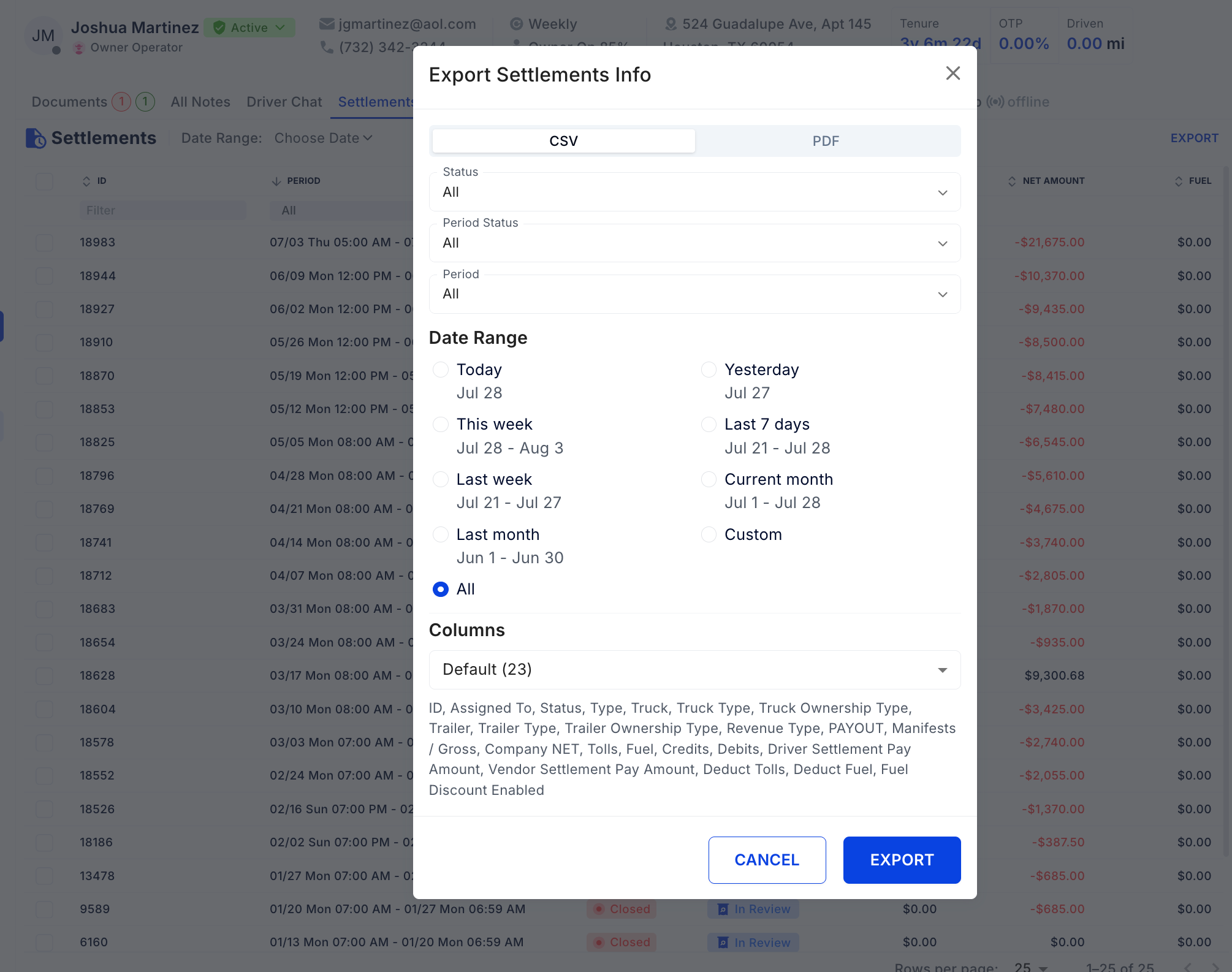
What’s new? New Settlements tab on Driver and Vendor profiles (also in Edit Driver) with the ability to select settlements and export them as a ZIP.
How to use: Go to a Driver or Vendor profile → Settlements → select rows → Export.
Why it matters: One place to review history and bulk‑download docs—ideal for audits, factoring, and dispute resolution.
🗂️ Audit Logging for Document Changes
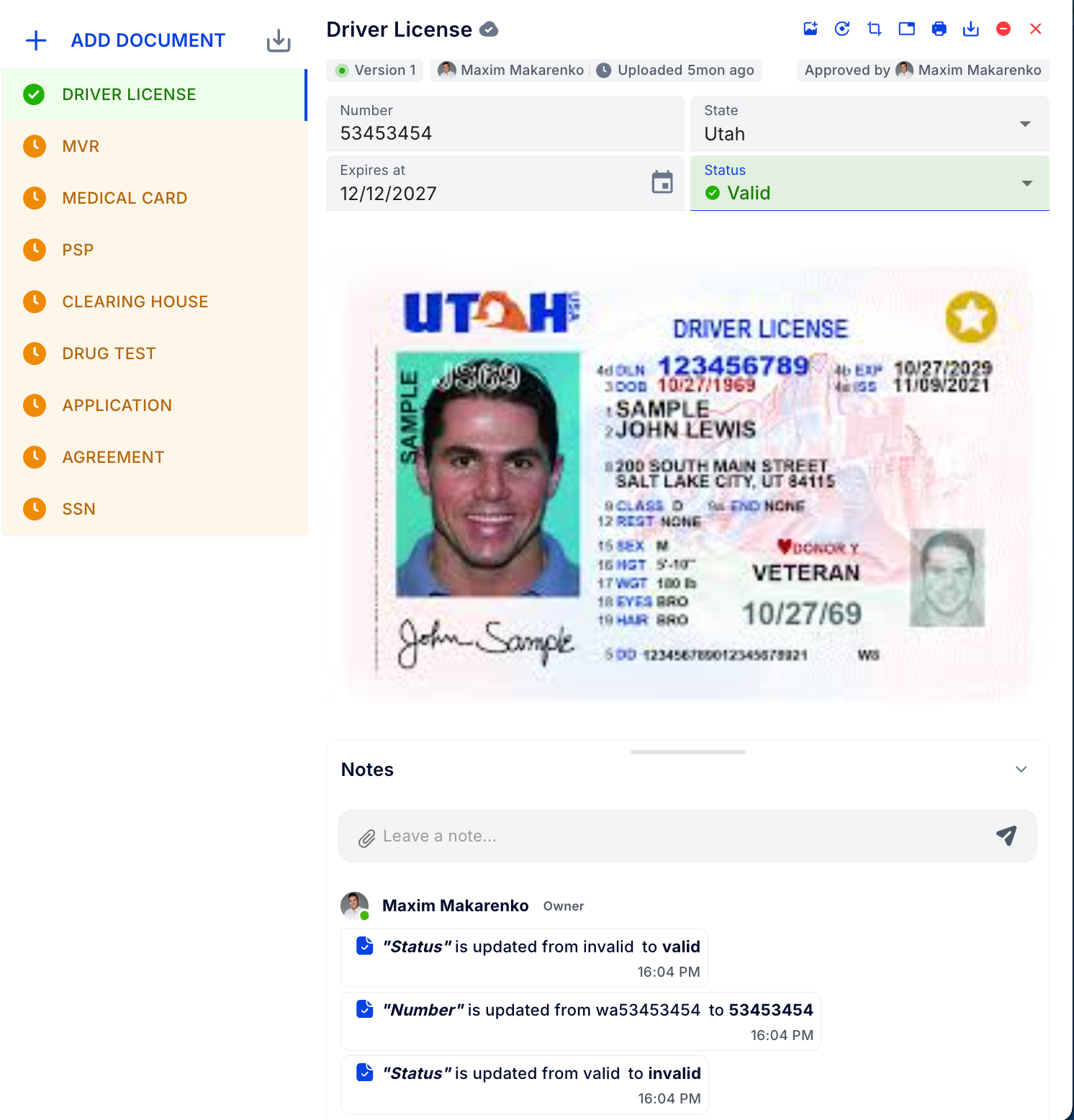
What’s new? Document edits and deletions are recorded as Notes right under the document.
How to use: Open the document to review its Notes change trail.
Why it matters: Clear, audit‑ready histories for compliance reviews and faster root‑cause analysis.
🧾 Change Logging for Invoice Item Categories
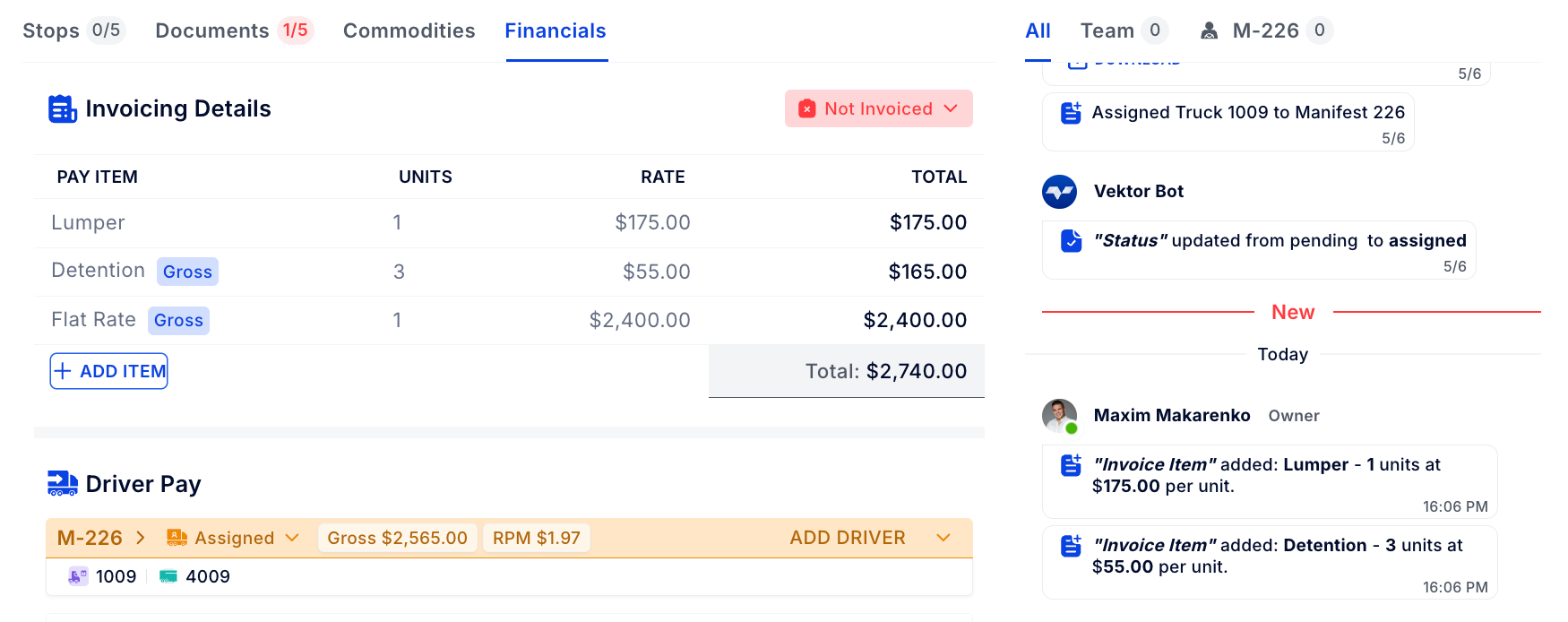
What’s new? Adjustments to Invoice Item Categories now produce Notes for a permanent change log.
How it helps: Transparent billing rules and easier back‑tracking when totals don’t match expectations.
🚫 Assignment Guard: Revenue Type Required
What’s new? A driver cannot be assigned to a truck unless the driver has a linked Revenue Type.
How to use: If blocked, open the Driver profile → add Revenue Type → retry.
Why it matters: Prevents payroll errors and ensures settlements calculate correctly from day one.
🔧 Service Log Upgrades
What’s new?
Improved UI in Create Service Log for smooth scrolling on big data volume
Deductions now included in Totals
Fixed totals accuracy and table search reliability
How it helps: Faster entry on large fleets and totals you can trust.
🔁 Convert to Recurring Transactions (+ Allow Duplicates)
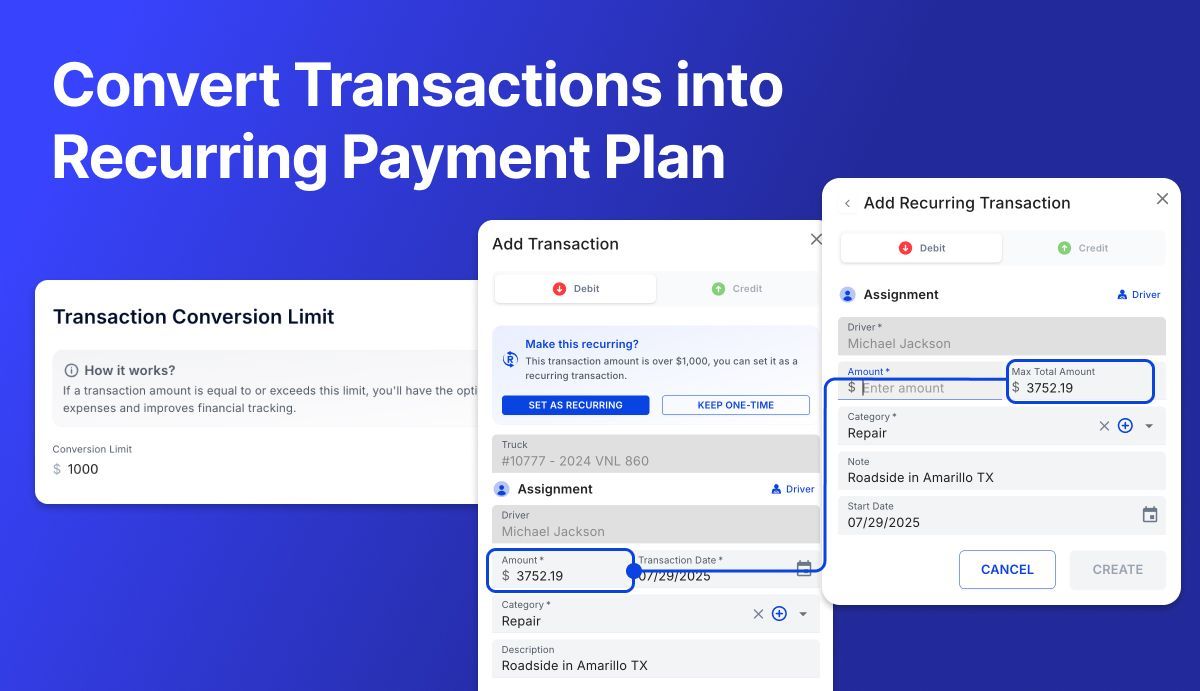
What’s new? Convert a one‑off transaction into a recurring one when it meets a configurable amount threshold (permission‑based), for use cases when a large repair needs to be broken down into a payment plan. You can also keep two identical recurring transactions when needed.
How to use:
Set the threshold in Settings → Settlements
You’ll see the convert prompt in the transaction dialog, the Transactions page, and Driver page
Review/manage on Recurring Transactions
Why it matters: Automates repeat spend, reduces manual entry, and supports nuanced accounting cases.
📦 Manifest Gross Override — Now Locked
What’s new? After a manual Manifest Gross override, it stays locked. Changes to Order Invoice Items will not re‑sync the Manifest Gross.
Why it matters: Protects intentional adjustments during reconciliation and prevents surprise changes later.
🧠 Auto‑Assignment Resilience (Manifests, Tolls, Fuel)
What’s new? Auto‑assignment will benefit from smarter edit mode.
How it helps: Fewer missed auto‑assignments and less manual cleanup in settlements.
📝 Notes Performance — Up to 10× Faster
What’s new? Major performance optimization for Notes across entire Vektor.
Impact: Quicker reviews and collaboration, even on records with long histories.
👤 Driver Middle Name Configuration
What’s new? Optional Middle Name field for drivers.
How to enable: Settings → Drivers.
Why it matters: Cleaner identity data for documents, exports, and 1099 matching—especially useful when drivers share first/last names.
Thanks for running your operations on Vektor TMS. Put these upgrades to work today!