October 20th, 2025
New
Feature
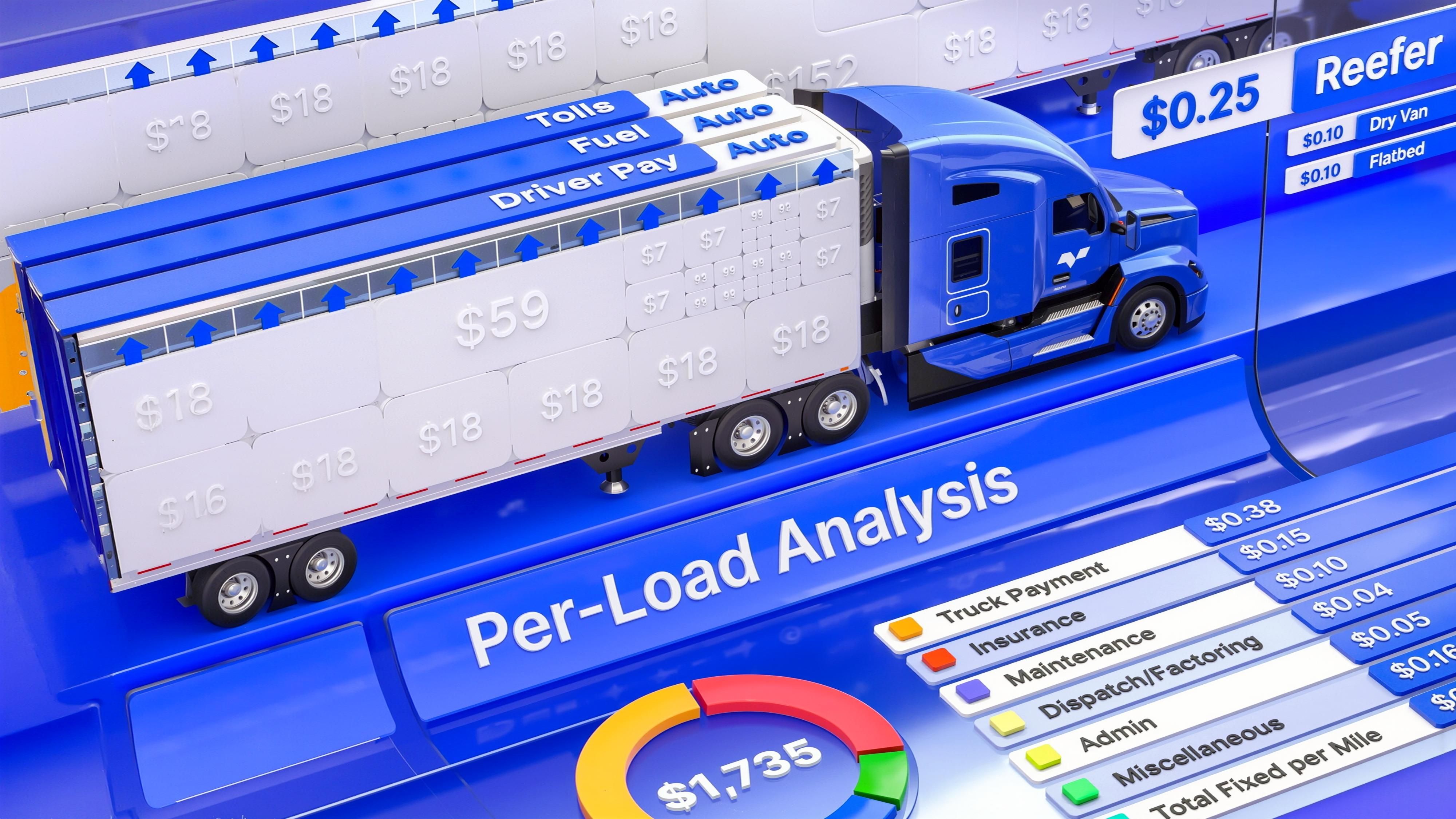
Profit Engine: Load-Level Profit, Live and Automated
Know what’s making money—and what’s not.
Profit Engine brings real-time, per-load profitability into every workflow in Vektor. Automatically.
No spreadsheets. No guesswork. Just one clear number: Estimated Net.
Why it matters
Margins are tight. But with Vektor, your operation can now:
See true profit per load—before or after it moves
Track margin across trucks, dispatchers, and customers
Act on what pays and cut what doesn’t
What’s new
Estimated Net (per load):
The headline number—updates live as stops, routes, fuel, driver pay, and rates change
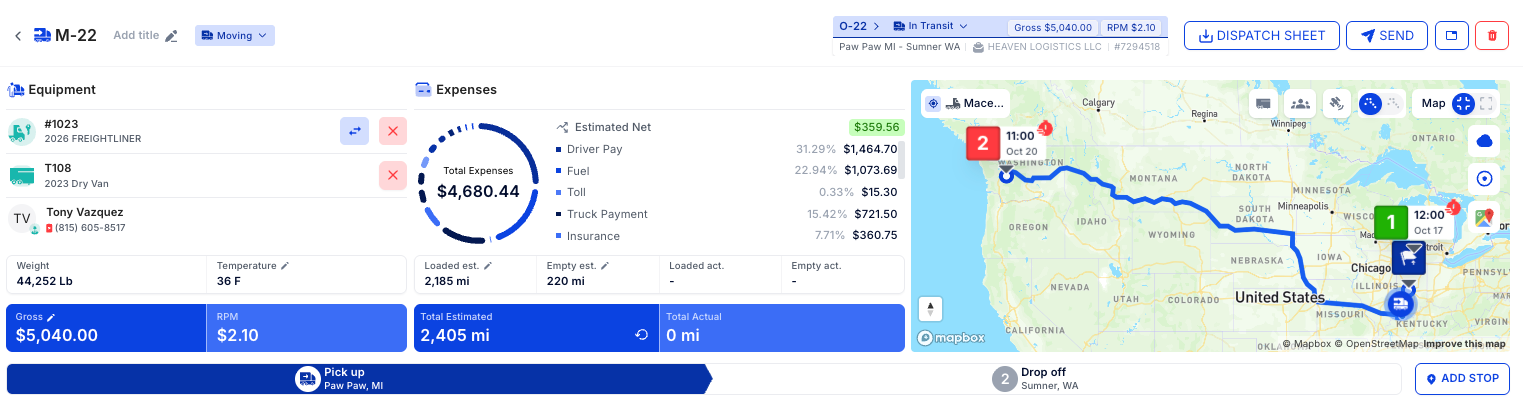
Fuel & Tolls (auto):
Calculated from the most efficient truck route—no manual math
Driver Pay:
Auto-applies based on revenue type (percent, CPM, day rate, etc.)
Per-Mile & % Expenses:
Your default cost template translates monthly spend (e.g., maintenance, insurance, office) into accurate $/mi or % costs per load
Example: If maintenance averages $10,000/month and fleet mileage is 50,000 mi/week → monthly miles ≈
50,000 × 52 weeks / 12 months = 216,667 monthly mile average.
Per‑mile maintenance ≈$10,000 / 216,667 ≈ $0.046/mi. Repeat for office expenses, insurance, tires, etc.
How Profit Engine Works
Calculates fuel and tolls using the most efficient truck route.
Applies your driver pay rules—percent, CPM, or day rate—against load revenue
Your mapped expense items to get true $/mi or percentage costs, then roll everything up into Estimated Net—refreshed live as details change.
Dynamic by design: Any change (rate con, stop edits, route tweaks, driver assignment, new $/mi inputs) reflows straight into the profit line.
Setup Your Profit Engine
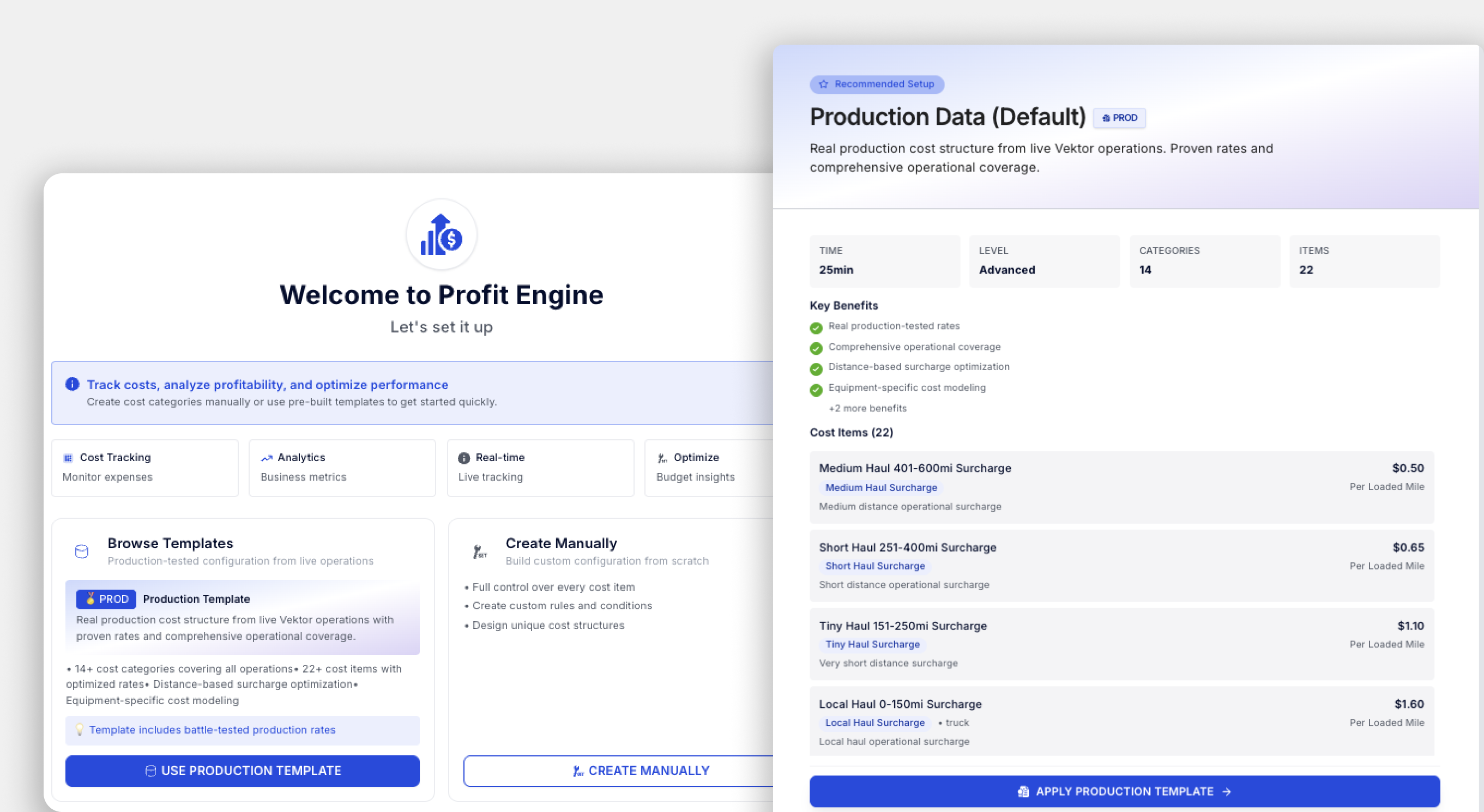
Included in your TMS—no add-on fees
Navigate to Settings → Profit Engine
Click “Import Vektor Template” to load default cost categories, based on Vektor’s thorough market analysis.
Adjust any values—factoring percentages, dispatch fees, maintenance, insurance, and more
Changes automatically apply to all future profit calculations
Where to view profit
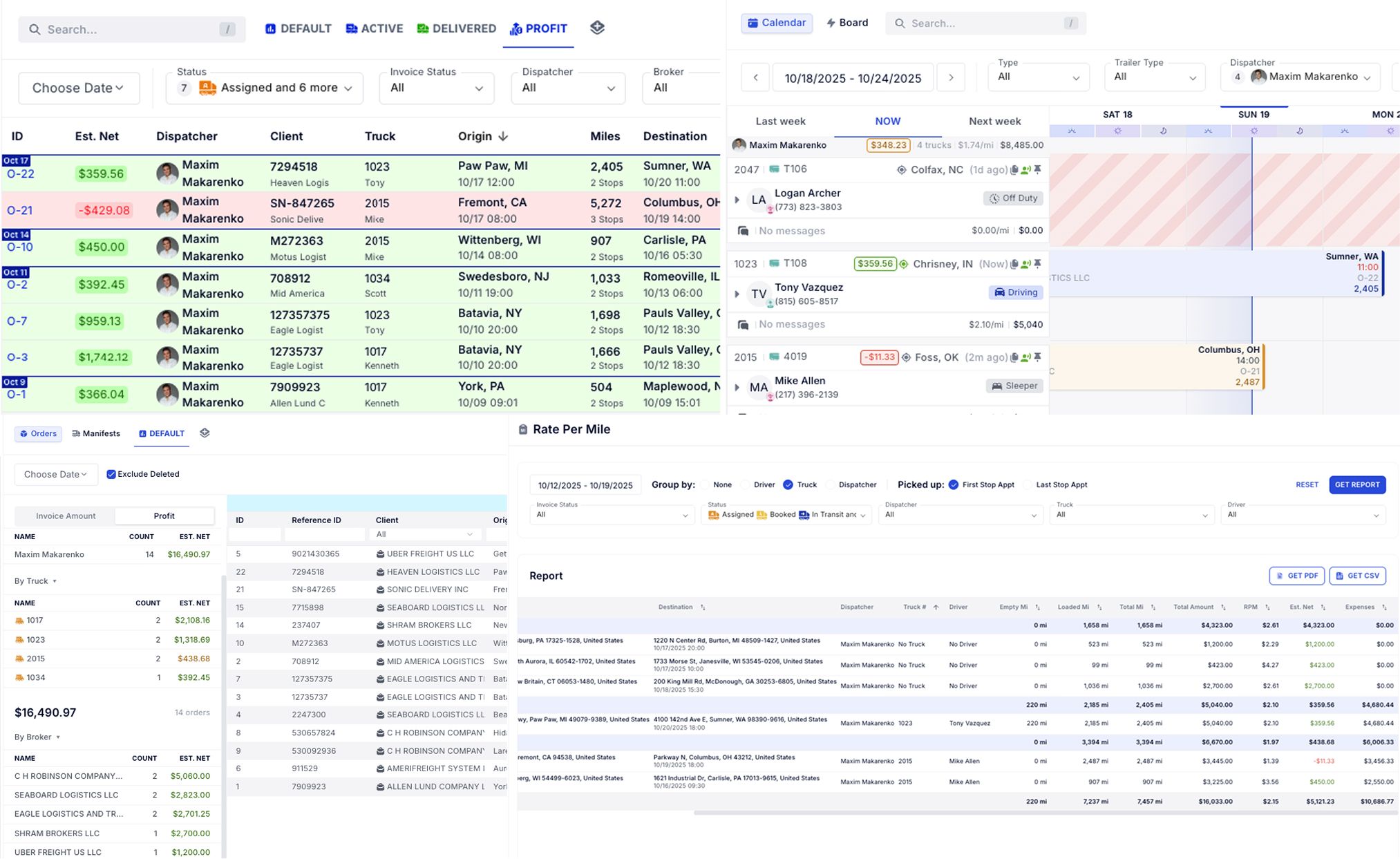
Estimated Net isn’t just a one-off number—it’s available across the platform to help you spot trends and act fast:
Orders Page: See load-by-load profit in context with dispatch
Truck Schedule: View total profit grouped by truck or dispatcher
Database Page: Analyze profit by truck, dispatcher, or customer with full filtering and export options
Rate Per Mile Report: Includes Net along with other data you need to get reports on—so you can compare real performance along with other detailed reporting.
Every view ties back to the same live logic—no manual syncs or exports needed.
Watch the walkthrough video or head to Settings → Profit Engine to start.
Have questions? Email support@vektortms.com or ask your CSM for a 15-minute setup review.
New to Vektor? Schedule Demo - https://calendly.com/vektortms